
Best VPNs for DDoS Protection (2026 Comparison)


 21 min. read
  Updated on
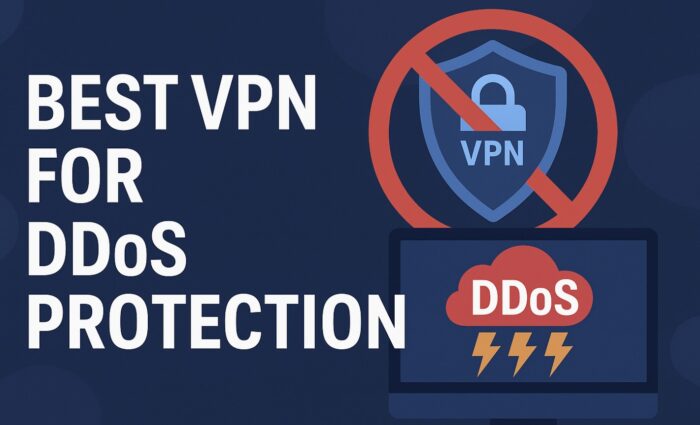
Online gamers and streamers are frequent targets of distributed denial-of-service (DDoS) attacks, which flood your IP address with traffic to knock you offline. A VPN (Virtual Private Network) can prevent this by hiding your real IP and routing your connection through secure servers, so attackers can’t directly target you. If you’re wondering whether DDoS-ing a VPN even works, this guide explains what happens if you DDoS a VPN.
Below we compile a detailed comparison of the top VPNs for DDoS protection in 2025 – including both free and paid options – with a focus on gaming-friendly features. We’ll highlight key features like anti-DDoS servers, kill switches, low latency performance, dedicated IP support, reliable speeds, and multi-platform support (PC and mobile). Short bullet points and a comparison table are provided for easy scanning of the information.
Table of contents
Key Features for DDoS-Protection VPNs
When choosing a VPN to protect against DDoS attacks (especially for gaming), consider the following essential features:
- Strong Security & Anti-DDoS Measures: The VPN should effectively mask your IP address and offer features to prevent leaks. Top services have anti-DDoS protections on all servers, meaning even if someone tries to attack you, they’ll hit the VPN’s network instead. This includes protections like IP/DNS leak prevention and obfuscated servers to hide VPN usage. A VPN essentially makes it impossible for attackers to get your real IP, stopping DDoS attempts cold. If you suspect your IP is already compromised, here’s how to know if your IP has been grabbed.
- Kill Switch Functionality: A kill switch is vital for gaming. If your VPN connection drops, a kill switch will instantly cut off all internet traffic so your real IP isn’t exposed even for a moment. This ensures you don’t become vulnerable mid-game if the VPN disconnects. Some providers (like PIA) even offer an always-on kill switch that blocks internet when you’re not on the VPN, adding an extra layer of IP protection.
- Low-Latency & High Speed Performance: All VPNs add some overhead, but the best ones minimize lag so your gameplay isn’t affected. Look for VPNs with fast protocols (e.g. WireGuard, NordLynx, or Lightway) and extensive server networks. The impact on ping should be minimal – top VPNs only increase latency by a few milliseconds on nearby servers. High-capacity servers (10 Gbps ports, etc.) and a wide choice of server locations help maintain low ping and fast throughput for gaming.
- Dedicated or Static IP Options: DDoS attackers often target known IP addresses. While a shared VPN IP is usually sufficient, having a static or dedicated IP can be useful for frequent gamers. A static IP means you’ll use an IP that doesn’t change (reducing captchas or game login issues), and a truly dedicated IP is unique to you. Several VPNs (NordVPN, Surfshark, PIA, CyberGhost) offer dedicated IP add-ons for an extra fee, or provide static IP servers. This feature can help avoid suspicion or account flags when your IP changes frequently with a VPN.
- No-Logs Policy & Privacy: A strict no-logging policy ensures the VPN service doesn’t store your real IP or online activity. This is not only good for privacy, but also means no record could leak and reveal your identity. The best providers have had their no-logs policies independently audited or verified. Strong privacy jurisdiction (e.g. Panama for NordVPN, British Virgin Islands for ExpressVPN, Switzerland for ProtonVPN) is a plus.
- Multi-Platform Support & Reliability: Make sure the VPN has apps for PC and mobile platforms at minimum – all the VPNs below have dedicated clients for Windows, macOS, Android, and iOS, with some offering Linux apps and router support. A reliable connection with unlimited bandwidth (no throttling) is important; premium VPNs impose no data caps, whereas free VPNs often limit bandwidth. If you need to protect gaming consoles (PS5, Xbox), consider a VPN that supports routers or offers Smart DNS features. Also, if you’re gaming from certain regions, it’s wise to be aware of the most dangerous countries for cyber attacks.
With these criteria in mind, let’s look at the best VPNs for DDoS protection in 2025, covering both paid premium services and a notable free option.
Top VPN Services for DDoS Protection
Below are some of the top-performing VPNs that excel in DDoS protection, with notes on their features and ideal use cases. Each of these services works well for gaming (preventing DDoS in online matches) as well as general use like streaming or browsing.
NordVPN – Best Overall Security & Low Ping
- Robust DDoS Shield: NordVPN keeps your IP address completely hidden and secure – it provides IP and DNS leak protection to ensure your real IP never slips out. This means attackers can’t find you to launch a DDoS. It also uses advanced security (AES-256 encryption, CyberSec blocker) and has obfuscated servers for bypassing network restrictions. A strict no-logs policy (audited) further keeps your identity safe.
- Kill Switch & Split Tunneling: NordVPN includes a reliable kill switch on desktop and mobile apps, which will cut your internet if the VPN disconnects. This prevents any accidental IP leak mid-game. You also get split tunneling (choose which apps use the VPN) so you can route only your game through the VPN for lower latency on other traffic.
- Low Latency Performance: NordVPN is known for its excellent speeds and minimal lag. In tests, nearby servers only added about 12 ms of ping, which is barely noticeable. It uses the modern NordLynx (WireGuard-based) protocol that is optimized for performance. In fact, NordVPN was among the fastest VPNs in gaming tests, even increasing speeds in some cases on distant servers. With thousands of servers in 60+ countries, you can always find a fast local server (over 5,000 servers, so no overcrowding issues).
Low Latency Performance: NordVPN is known for its excellent speeds and minimal lag. In tests, nearby servers only added about 12 ms of ping, which is barely noticeable. It uses the modern NordLynx (WireGuard-based) protocol that is optimized for performance. In fact, NordVPN was among the fastest VPNs in gaming tests, even increasing speeds in some cases on distant servers. With thousands of servers in 60+ countries, you can always find a fast local server (over 5,000 servers, so no overcrowding issues). - Dedicated IP Option: NordVPN offers optional dedicated IP addresses (in several countries) for users who want their own stable IP. This can be useful if you host games or just want to avoid shared IP pitfalls. Otherwise, Nord’s regular servers work well for DDoS protection by rotating IPs.
- Ideal Use Cases: Great for competitive gamers and streamers who need top-tier security without sacrificing speed. NordVPN’s consistency makes it good for general use too – from torrenting to 4K streaming – on up to 6 devices. It has apps on all platforms (PC, Mac, Android, iOS, Linux) and even supports routers for console gaming. Overall, NordVPN is a balanced choice offering both strong defense and high performance for DDoS-sensitive activities.

NordVPN
Use leading VPN technologies to keep trackers and hackers at bay!ExpressVPN – Fastest Connections & Easy to Use
- Comprehensive Anti-DDoS Network: ExpressVPN is built with DDoS protection in mind – every one of its servers is equipped with anti-DDoS measures. If someone tries to DDoS you, they’ll hit ExpressVPN’s infrastructure and fail to take you down. This robust network (servers in 90+ countries) absorbs attacks and keeps you online. ExpressVPN also has proven IP/DNS leak protection and an audited no-logs policy to keep your info private.
- “Network Lock” Kill Switch: Security is a strong suit for ExpressVPN. Its Network Lock feature is a kill switch that safeguards you by cutting internet if the VPN drops, preventing any IP reveal. Combined with its encryption and features like RAM-only servers (which wipe all data on reboot), ExpressVPN ensures your connection remains secure and DDoS-proof at all times.
- Blazing Speeds & Low Ping: ExpressVPN is consistently one of the fastest VPNs. It uses a proprietary Lightway protocol engineered for speed. Users report lightning-fast performance – websites load instantly and games run with no noticeable lag, since ping remains very low. In practice, you can game on distant servers smoothly, and with 105+ server locations you can connect to a nearby server for the best response times. ExpressVPN’s high throughput is ideal for fast-paced online games and high-bandwidth activities.
- Great for PC, Mobile & Consoles: ExpressVPN has polished apps for Windows, Mac, Android, iOS, and even offers a smart router app to cover devices like PlayStation or Xbox that don’t support VPN apps natively. Setting it up on a router (or using their pre-configured Aircove router) can protect your entire home network from DDoS attacks. You can use up to 8 devices simultaneously. This cross-platform support means that whether you’re on PC, phone, or console, you’re protected.
- Ideal Use Cases: Perfect for gamers who refuse to compromise on performance – pro e-sports players or streamers will love the combination of very low latency and strong DDoS protection. It’s also excellent for general users who want a no-fuss, high-speed VPN for browsing or streaming (ExpressVPN unblocks most streaming services easily). The only drawback is the cost – it’s on the premium end (around $6–$7 per month on annual plans) – but you get top-tier quality in return.

ExpressVPN
Trade efficiently on any device with this top-level VPN that supports secure payments.Surfshark – Budget-Friendly, Unlimited Devices
- Affordable Security (Great Value): Surfshark stands out by offering comprehensive VPN features at a low price (one of the cheapest long-term plans). Despite its budget pricing, it doesn’t skimp on security: you get strong encryption, a kill switch on all platforms, and a strict no-logs policy. Like others, using Surfshark hides your IP, so attackers can’t DDoS you – any attacker only sees the VPN server’s IP, which Surfshark’s network can handle.
- Unlimited Devices & Easy Sharing: Uniquely, Surfshark allows unlimited simultaneous connections under one subscription. You can protect your gaming PC, phone, tablet, and even share with family members’ devices all at once. This makes it extremely cost-effective if you have many devices (no need to log out on one to use another). It works on all major OS and even supports Smart DNS for consoles.
- Low-Lag, High-Speed Servers: With 3,200+ servers across 100 countries, Surfshark ensures there’s a server near you for optimal ping. All servers run on 10 Gbps ports, meaning they have plenty of bandwidth to avoid congestion and lag. In speed tests, Surfshark performs very well – downloads and uploads are “Very Fast” and latency on nearby servers can be as low as ~6 ms (virtually unnoticeable). In real gaming terms, Surfshark can keep up with more expensive VPNs, providing smooth play without lag spikes.
- Advanced Features (Static IP, Multi-hop): For gamers concerned about IP consistency, Surfshark offers static IP servers and even a Dedicated IP add-on (a unique IP just for you). A static IP can help if certain games or services flag changing IPs – you’ll appear from the same location each time. Additionally, Surfshark includes Multi-hop (double VPN) for extra security, though that may add latency so it’s optional. It also has split tunneling and an effective ad-blocker (useful if you visit sketchy mod sites).
- Ideal Use Cases: Surfshark is the best choice for budget-conscious users or large households. If you want to secure all your devices (PCs and mobiles) and even your siblings’ or friends’ devices while gaming, Surfshark’s unlimited device policy is a huge win. It’s great for casual and competitive gaming alike, and also handles streaming and everyday browsing well. Overall, it provides reliable DDoS protection and performance without breaking the bank.

Surfshark
Make the best out of Bitstamp with powerful encryption and server obfuscation!Private Internet Access (PIA) – Customizable & Private
- Anti-DDoS on Every Server: Private Internet Access is a veteran VPN known for its strong privacy features. Notably, PIA has anti-DDoS protection running on all its servers – so just by connecting, your IP is shielded behind PIA’s network. Its servers (over 91 countries covered) are built to withstand attacks. PIA also has comprehensive leak protection and runs all servers on RAM (no persistent storage), plus its no-logs policy has been verified in court multiple times.
- “Advanced Kill Switch”: PIA offers a standard kill switch, and also an Advanced Kill Switch mode that can block internet traffic system-wide unless the VPN is active. This means even if you accidentally forget to connect the VPN, you won’t go online unprotected. Enabling this ensures your IP will always stay hidden when gaming, effectively eliminating the risk of DDoS exposure due to human error or connection drops.
- Fast and Configurable Performance: PIA gives users a lot of tweaking ability – for instance, you can choose 128-bit vs 256-bit encryption to trade a bit of encryption strength for higher speed (128-bit is still very secure and can boost performance). The apps display real-time latency for each server, so you can pick the server with the lowest ping before you connect. In practice, PIA’s speeds are excellent for gaming; testers were able to play online with only minor lag and quick load times, only slightly slower than the fastest competitors. With unlimited bandwidth and now unlimited simultaneous devices allowed, you can run PIA on all your gadgets without worry.
- Privacy Focus (No Logs & MACE): True to its name, Private Internet Access is very privacy-focused. Beyond no-logs, it offers PIA MACE, an integrated blocker for ads, trackers, and malware. This can protect you from malicious pop-ups on gaming forums or infected ads that could disrupt your play. PIA’s open-source apps and customizable settings (protocols, ports, automation rules for Wi-Fi networks) make it a favorite for power users.
- Ideal Use Cases: PIA is ideal for tech-savvy gamers and privacy enthusiasts. If you like to fine-tune your VPN experience or run it on a whole bunch of devices simultaneously, PIA is hard to beat (it’s also very affordable on long-term plans, roughly $2/month). It works on all major platforms; while it doesn’t have a one-click router app like ExpressVPN, it provides detailed guides for manual router setup. PIA is also a solid general-use VPN for secure browsing and torrenting in addition to gaming.

Private Internet Access
Secure your bank info and private data and trade safely from any device.CyberGhost – User-Friendly with Gaming Servers
- Easy for Beginners: CyberGhost is known for its intuitive apps and user-friendly design, making it a great choice if you’re newer to VPNs. It includes a Smart Rules feature that lets you automate VPN connections for certain triggers. For example, you can set CyberGhost to automatically connect to a VPN server whenever you launch a specific game or app (like Steam), or on certain Wi-Fi networks. This hands-off approach ensures you’re always protected from DDoS without needing to remember to turn on the VPN each time.
- Dedicated Gaming Servers: In addition to anti-DDoS protection on all servers by default, CyberGhost goes a step further with a set of 90+ dedicated gaming servers in key regions (USA, UK, Germany, France). These specialty servers are optimized for gaming traffic – aiming to provide lower ping and stable speeds under load. You can find them labeled in the app, and they’re a good choice for connecting to popular game servers in those regions. With a total network spanning 100+ countries, CyberGhost makes it easy to find a fast server near your location or game server.
- Solid Speed and Security: CyberGhost delivers decent speeds for gaming. During tests, web pages and game servers connected in a few seconds (minor delays of ~3–4 seconds under load) and gameplay only had very occasional, minor hiccups. It’s not the absolute fastest VPN, but it’s reliable enough for most casual and competitive gaming needs. In terms of security, CyberGhost checks all the boxes: it runs on RAM-only servers, has an independently audited no-logs policy, strong encryption, and leak protection. An extra feature called Identity Guard can alert you if your email (for gaming accounts) was found in a data breach.
- 7-Device Coverage & Platforms: A single CyberGhost subscription lets you connect up to 7 devices at once. It has dedicated apps for Windows, macOS, Android, iOS, Linux, and even Amazon Fire TV, so protecting your PC and mobile is straightforward. There’s no native app for routers, but you can configure CyberGhost on a router manually to cover consoles. The app’s interface is beginner-friendly, and there’s a handy Favorites list to bookmark your preferred servers.
- Ideal Use Cases: CyberGhost is an excellent choice for casual gamers, beginners, or those who want a hassle-free VPN. The specialized gaming servers and automation features make it very convenient to use for online gaming and streaming. It’s also one of the more streaming-friendly VPNs (they have separate streaming-optimized servers for Netflix, etc. aside from gaming servers). If you’re looking for a VPN that’s easy to set and forget, while still providing DDoS protection and decent performance, CyberGhost fits the bill.

CyberGhost VPN
Secure your crypto wallet and make safe trades with this state of the art VPN technologies.ProtonVPN (Free) – Best Free Option with Unlimited Data
- Truly Free DDoS Protection: ProtonVPN offers a free plan that is exceptional in that it has no data cap – you can use it as much as you want, which is rare among free VPNs. This makes it viable for gaming sessions because it won’t cut you off mid-game. While free users have a limited selection of servers, your real IP is still hidden behind ProtonVPN’s servers at all times, effectively shielding you from DDoS attacks just like a paid plan would. In extended tests, ProtonVPN’s free tier held up without throttling or disconnects over hours of gaming.
- Decent Performance on Free Servers: Free users can connect to servers in five countries: the US, Netherlands, Japan, plus recently added Poland and Romania. This coverage is quite good for a free service. During gameplay testing, servers in Europe (Netherlands) and Asia (Japan) on the free tier performed best, offering stable pings and throughput suitable for games like League of Legends and even Warzone. U.S. free servers can get a bit crowded at peak times, but were still usable. Of course, paying for ProtonVPN’s Plus plan unlocks 60+ countries and much higher speeds, but many find the free plan sufficient for basic needs.
- Top-Notch Security & Privacy: ProtonVPN originates from the same team behind ProtonMail and is based in Switzerland, a country with strong privacy laws. The free plan benefits from the same security standards: strong encryption, no logs kept, and no ads or trackers injected. Unlike some free VPNs, ProtonVPN Free does not bombard you with ads or sell your data – they uphold a strict privacy policy. The apps (available on Windows, Mac, Android, iOS, Linux) include a kill switch and DNS leak protection even for free users, so you won’t leak your IP if the VPN disconnects. Essentially, ProtonVPN Free is as secure as the paid version, just with fewer servers.
- Limitations of Free Tier: The ProtonVPN free plan is generous but not without limits. It allows only one device at a time on the free account. It also does not support P2P (torrenting) or streaming services on free servers – those activities are reserved for paid plans. Additionally, you cannot choose specific cities (only country-level selection for free servers). If your primary goal is gaming and general browsing security, these limitations are not deal-breakers, but you’ll need to upgrade if you want full access to things like Netflix or higher-speed servers.
- Ideal Use Cases: ProtonVPN’s free plan is hands-down the best free VPN for DDoS protection and gaming because of its unlimited bandwidth and solid performance. It’s ideal for students or gamers on a tight budget who need to stop DDoS trolls without spending money. It works well on PC and mobile (the mobile app is very user-friendly), so you can protect your smartphone gaming (or even a Nintendo Switch via shared connection). For more serious or heavy usage, ProtonVPN’s paid plans (Plus plan costs around $5–$10/month depending on term) provide much faster speeds, more servers (inclusive of specialized streaming and Tor servers), and allow up to 10 devices – an easy upgrade path if you outgrow the free service.

Proton VPN
Enjoy rock-solid privacy with this Swiss-based freemium VPN.Comparison Table: VPNs for DDoS Protection
The table below summarizes key differences of the best VPNs for DDoS protection (gaming-oriented), including pricing, notable DDoS protection features, performance, logging policy, and ideal use cases:
| VPN Service | Pricing (Approx.) | DDoS Protection Features | Speed & Latency | Logging Policy | Ideal Use Cases |
|---|---|---|---|---|---|
| NordVPN | ~$3.30/mo (2-yr plan) $12.99/mo monthly | Hides real IP (IP/DNS leak protection); Kill switch on all apps; Dedicated IP add-on available | Very fast; minimal ping increase (≈12ms on nearby servers); NordLynx protocol optimized for low latency | Strict no-logs (audited); Based in Panama (privacy-friendly) | Competitive gaming & streaming; Privacy-conscious users on PC, mobile, routers |
| ExpressVPN | ~$6.67/mo (1-yr plan) $12.95/mo monthly | Anti-DDoS on all servers (attacks absorbed); Network Lock kill switch; RAM-only servers | Extremely fast (Lightway protocol); Low latency even on distant servers; 105+ locations for local nodes | No-logs (independently audited); Based in BVI (strong privacy) | Pro gamers / streamers needing top performance; Multi-platform (PC, mobile, console via router) |
| Surfshark | ~$2.50/mo (2-yr plan) $12.95/mo monthly | IP masking on all servers (DDoS protection); Kill switch; Static IP servers + dedicated IP option | Very fast (10 Gbps servers); Low lag if nearby (100 countries coverage); WireGuard protocol | No-logs (audited) – Netherlands jurisdiction; Unlimited devices logging in | Budget-friendly for families (unlimited devices); Casual and competitive gaming on all devices; general use |
| Private Internet Access (PIA) | ~$2.03/mo (2-yr plan) $11.95/mo monthly | DDoS protection on all servers; Always-on Advanced Kill Switch; PIA MACE ad/malware blocker | Fast speeds; shows server latency to choose lowest ping; Minor lag in heavy gaming (91+ countries) | No-logs (verified in court); US-based but RAM-only servers and encrypted data | Tech-savvy users needing customization; Low-cost long-term protection for many devices (unlimited connections) |
| CyberGhost | ~$2.19/mo (2-yr plan) $12.99/mo monthly | DDoS protection on all servers; 90+ dedicated gaming servers (optimized low ping); Smart Rules auto-protect gaming apps | Good speeds (10 Gbps servers; 100 countries); ~3–4s load times, minor game lag in tests | No-logs (audited) – based in Romania; Transparent privacy policies | VPN beginners & casual gamers; Easy streaming and browsing (has special streaming servers); 7-device use |
| ProtonVPN Free | Free (unlimited data) (Plus plan $5–$10/mo) | IP hidden behind VPN servers (stops DDoS); Kill switch on free app; Secure Core (paid) servers | Moderate speeds on free servers (5 countries); Stable pings if using closer servers; no data cap throttling | No-logs (strong Swiss privacy laws); No ads or trackers on free tier | Cost-free basic DDoS protection for PC & mobile gaming; Upgrade to paid for full speed, streaming, P2P support |
Sources: The above comparison is based on 2025 VPN performance tests and features reported by reputable reviewers and the VPN providers themselves, ensuring up-to-date information on DDoS protection capabilities, speeds, and policies.
Best VPNs for DDoS: are they worth it or not
When facing the threat of DDoS attacks – whether in high-stakes online games or simply to avoid malicious disruption – using a VPN is one of the best defenses. NordVPN, ExpressVPN, and Surfshark lead the pack for paid options, combining strong anti-DDoS measures, kill switches, and low-latency connections. Private Internet Access and CyberGhost are excellent alternatives, offering unique perks like advanced kill switches and dedicated gaming servers to enhance your protection. For those on a budget, ProtonVPN’s free plan proves that you can get effective DDoS protection without spending a dime, thanks to its unlimited bandwidth and solid security.
Each user’s needs will differ: competitive gamers might prioritize speed and stability, while a casual user might value ease of use or cost. All the VPNs listed work on PC and mobile platforms, so you can stay protected whether you’re gaming on a desktop or a smartphone. By considering the key features – from anti-DDoS server networks and kill switches to dedicated IP support and no-logs privacy – you can choose a VPN that keeps you safe from DDoS attacks while maintaining a fast, smooth internet experience. Happy gaming, and may your connection never drop!


Read our disclosure page to find out how can you help VPNCentral sustain the editorial team Read more


Improve this guide


User forum
0 messages