
Can a VPN Cause Internet Problems? All You Need to Know


 8 min. read
  Updated on
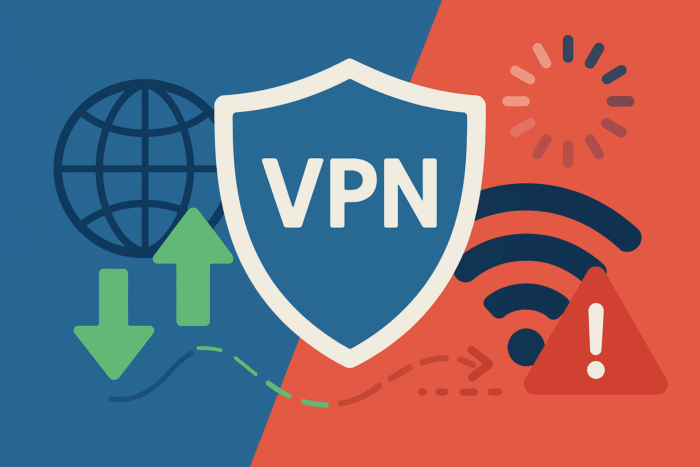
VPNs protect privacy, hide your IP address, and help bypass restrictions. But they also change how your traffic flows through the network, which can sometimes introduce slow speeds, high latency, dropped connections, or blocked services. This guide explains the technical reasons behind these issues and gives practical fixes for each one, in plain language with clear examples.
Table of contents
- What Counts as an “Internet Problem” With a VPN?
- How a VPN Changes Your Traffic Path
- 1) Speed Loss (Throughput)
- 2) Latency and Jitter (Delay and Variability)
- 3) Packet Loss, MTU, and Fragmentation
- 4) Connection Drops and NAT Timeouts
- 5) Blocked Services and Ports
- 6) DNS Resolution and Access Friction
- 7) Privacy Limits and What Providers Can See
- 8) P2P and Torrent Performance
- 9) Router Load, Device Limits, and Battery Drain
- 10) Split Tunneling and App-Level Conflicts
- 11) Advanced Hardening When “VPN Alone” Is Not Enough
- Quick Diagnostic Table: Problem → Likely Cause → Fix
- Before You Start: A Practical Checklist
- FAQs
- Conclusion
What Counts as an “Internet Problem” With a VPN?
- Lower throughput: Downloads and uploads feel slower than normal.
- Higher latency and jitter: Pages feel sluggish, games rubber-band, calls stutter.
- Intermittent drops: The tunnel disconnects, apps lose sessions.
- Access failures: Some sites, streams, or apps stop working when VPN is on.
- Device or router strain: CPU usage spikes, battery drain increases, or Wi-Fi gets flaky.
How a VPN Changes Your Traffic Path
Without a VPN, your device talks directly to websites and services via your ISP. With a VPN, your traffic is encrypted and routed first to a VPN server, then out to the destination. That extra hop, plus encryption/decryption, adds overhead. The effects below flow from this new data path.
1) Speed Loss (Throughput)
Why it happens: Extra encryption steps, long-distance routes to faraway servers, and crowded endpoints can reduce raw bandwidth. Older routers or phones may struggle to process strong ciphers efficiently.
How it shows up: Slower file downloads, buffering videos, or sluggish cloud syncs. As a privacy upside, your ISP has less visibility into your browsing patterns; see how that impacts what your provider can observe in whether a Wi-Fi provider can see history with a VPN.
Fixes: Pick a nearby server, try a faster protocol like WireGuard, avoid peak-time servers, and upgrade underpowered hardware. Test with and without VPN to isolate the bottleneck.
2) Latency and Jitter (Delay and Variability)
Why it happens: Longer routes increase round-trip time; congested hops add variability. TCP encapsulated inside another TCP stream can cause “meltdown” under packet loss.
How it shows up: Voice/video calls stutter, online games feel delayed, remote desktop lags.
Fixes: Prefer UDP-based protocols, choose servers close to the game or call region, and use Ethernet instead of Wi-Fi for stability.
3) Packet Loss, MTU, and Fragmentation
Why it happens: VPN encapsulation increases packet size. If the path MTU is too small, packets can fragment or be dropped. Misaligned MSS/MTU values or blocked ICMP “Fragmentation Needed” messages can break large transfers.
How it shows up: Sites partially load, large downloads stall, SSH/RDP sessions freeze.
Fixes: Lower MTU on the VPN adapter, ensure MSS clamping on routers, and keep ICMP PMTUD intact if possible.
4) Connection Drops and NAT Timeouts
Why it happens: Routers perform NAT with idle timeouts; if keepalives are weak, tunnels expire. Double-NAT or strict firewalls can interfere. On some networks, enabling the right passthrough options is essential; see VPN passthrough and its business benefits to understand why certain routers handle tunnels more reliably.
How it shows up: Frequent disconnects, apps losing sessions after short idle periods.
Fixes: Enable persistent keepalives, use Ethernet, reduce Wi-Fi interference, and where possible avoid double-NAT or reconfigure the main router.
5) Blocked Services and Ports
Why it happens: Some networks use firewalls, carrier-grade NAT, or deep packet inspection to disrupt common VPN ports or specific protocols. Streaming platforms may also block known VPN egress ranges.
How it shows up: Your VPN won’t connect on campus or hotel Wi-Fi, or certain apps fail when the tunnel is on.
Fixes: Change protocol/port, use obfuscation, or test connectivity first. Here’s how to check if a VPN port is blocked so you can switch quickly to an open path.
6) DNS Resolution and Access Friction
Why it happens: DNS servers change when you connect to a VPN. Some networks hijack DNS or block external resolvers, leading to failures. Captive portals (airports, hotels) may require temporary VPN off to authenticate.
Related access cases: Age-gated sites sometimes block or mis-handle VPN traffic; see whether a VPN can bypass age verification for the practical implications. For live TV and OTT, network rules differ; this primer on whether you need a VPN for IPTV explains common streaming edge cases.
7) Privacy Limits and What Providers Can See
VPNs hide your IP from websites and reduce ISP visibility, but they do not decrypt end-to-end TLS. In other words, providers cannot read your secure sessions; see whether a VPN provider can see HTTPS traffic for a clear breakdown. For a complementary view from the network side, revisit whether a Wi-Fi provider can see history with a VPN to understand what your hotspot or router operator can still infer.
8) P2P and Torrent Performance
Why it happens: P2P traffic relies on many peer connections. Blocked ports, NAT, and poor endpoint performance reduce swarm quality. Dedicated servers, proper port handling, and the right protocol make a big difference.
Start with the basics: understand what a P2P VPN is, then decide whether you need a VPN for torrenting based on your jurisdiction, ISP policy, and privacy needs.
9) Router Load, Device Limits, and Battery Drain
Why it happens: Encryption is CPU-intensive. Low-power routers and older phones can saturate quickly. On mobile, constant keepalives plus radio switches (Wi-Fi to LTE and back) increase battery usage.
Fixes: Use hardware acceleration where available, offload VPN to a capable device, and limit background apps while connected.
10) Split Tunneling and App-Level Conflicts
Why it happens: If only some apps are tunneled, others may use local DNS or different routes, creating inconsistent behavior. Security software, firewalls, and proxies can also clash with the VPN adapter.
Fixes: Test with split tunneling off, align DNS for all apps, and create explicit allow rules in firewalls for the VPN interface.
11) Advanced Hardening When “VPN Alone” Is Not Enough
If you need extra confidentiality or integrity, stack techniques that complement VPNs (secure DNS, application-layer encryption, per-app tunnels). Start with this guide on how to encrypt your internet connection to pick the right combination without overloading devices.
Quick Diagnostic Table: Problem → Likely Cause → Fix
| Symptom | Likely Cause | Fast Fix |
|---|---|---|
| Slow downloads | Far server, crowded endpoint, weak hardware | Pick closer server, switch to WireGuard, avoid peak hours |
| High ping in games | Long route, TCP-over-TCP, Wi-Fi interference | Use UDP protocol, server near game region, switch to Ethernet |
| Pages half-load | MTU/MSS mismatch, blocked ICMP | Lower VPN MTU, enable MSS clamping on router |
| Frequent disconnects | NAT idle timeout, double-NAT | Enable keepalives, adjust router, reduce double-NAT |
| VPN will not connect | Firewall/DPI/CGNAT blocks | Change port/protocol, use obfuscation, confirm with how to check if a VPN port is blocked |
| Streaming fails | Platform blocks VPN or DNS mismatch | Rotate servers, align DNS, see whether you need a VPN for IPTV |
Before You Start: A Practical Checklist
- Run a baseline speed and ping test with VPN off, then on, to compare.
- Try two protocols and two nearby servers to isolate route vs. server load.
- Test over Ethernet to remove Wi-Fi variables.
- Temporarily disable split tunneling and third-party firewalls to rule out conflicts.
- If nothing works, review router settings and consider the role of VPN passthrough features on your gateway.
FAQs
No. A small drop is normal, but with modern protocols, nearby servers, and healthy hardware, many users see minimal difference.
CDNs, firewalls, and geo-filters may block known VPN ranges. DNS changes can also cause lookups to fail or resolve to different regions.
No. HTTPS is end-to-end encrypted. For a deeper explanation, see whether a VPN provider can see HTTPS traffic.
Sometimes. Rules vary by platform and country. For age-gated services, read whether a VPN can bypass age verification for practical considerations.
Conclusion
VPNs can cause internet problems when routes are long, ports are blocked, gear is underpowered, or DNS changes collide with site rules. The good news is that each issue has a targeted fix.
For gamers, connection quality matters as much as raw speed. If lag or unstable routes affect gameplay, see whether a VPN can help with ping and latency. That guide explains when a VPN lowers delays and when it can make them worse.
Use the checklists above, choose the right servers and protocols, and reinforce your setup with selective hardening techniques. If streaming, P2P, or specific websites are your priority, align your configuration with the dedicated resources in this guide so you get privacy and performance at the same time.


Read our disclosure page to find out how can you help VPNCentral sustain the editorial team Read more


Improve this guide


User forum
0 messages