
Is Your DMM VPN Not Working? Try These Tricks Now!
Enjoy your favorite games without interruptions today!


 3 min. read
  Updated on

Is your DMM VPN not working? I feel your frustration, but don’t worry – this problem is easy to fix!
So, if your VPN fails, I have a few tricks to resolve the issue. But first, let’s begin with the basics.
Do you need a VPN to play DMM games?
If you are playing outside of Japan, the answer to this will be yes. Some of the games are available via Steam or other platforms, but to gain access to the full DMM games library, you will need a VPN service.
Why is my VPN not working with DMM?
DMM Games blocks VPNs to prevent users in unsupported countries from accessing its platform. The move is crucial to avoid copyright infringement claims from game developers.
The vendor uses vendors like MaxMind to restrict geolocation services. Moreover, it monitors traffic for heavy encryption, which VPN connections are known for.
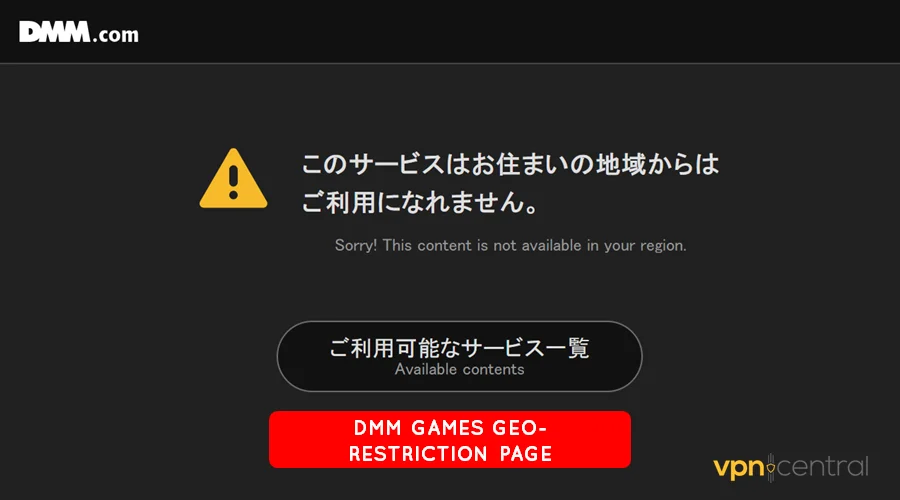
You’ll likely encounter a geo-restriction page indicating that DMM isn’t available in your region. Fortunately, I’ve got the right solutions to resolve this issue.
Your DMM VPN is not working? Do this!
Below are different workarounds to get DMM working with your VPN.
1. Change servers
Changing servers helps when connected to a blocked IP address. It forces the VPN to fetch and assign you a new one, potentially granting access to DMM.
Here’s how:
- Disconnect your VPN if it’s running.
- Access the servers list.
- Choose a different DMM-supported region.
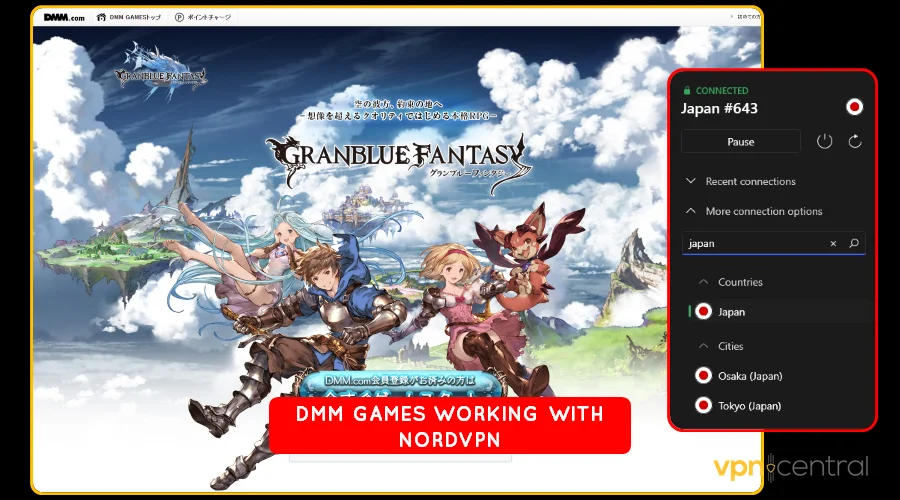
- Reconnect the VPN.
- Reload DMM.
This method requires testing multiple locations. It’s pretty cumbersome, but it works for me all the time.
2. Change VPN protocols
VPNs provide multiple protocols that differ in detection capabilities. You can play around with the available options to strike it lucky.
Do the following:
- Stop your VPN if it’s active.
- Go to Settings and choose Connection.
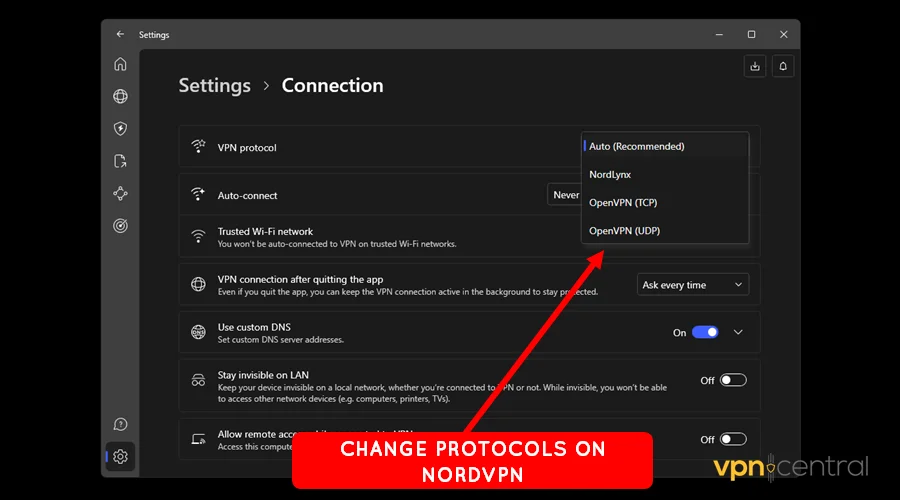
- Select Protocol and switch to a different alternative.
- Access DMM Games.
You need to repeat the above steps to explore the available protocols. The good thing is that it’s less cumbersome than testing different servers.
3. Switch VPN encryption
Like protocols, some VPNs offer multiple encryption options. Switching to a lower standard may help avoid detection when accessing DMM.
Use these steps:
- Open Settings on your VPN.
- Locate Protocols and choose OpenVPN.
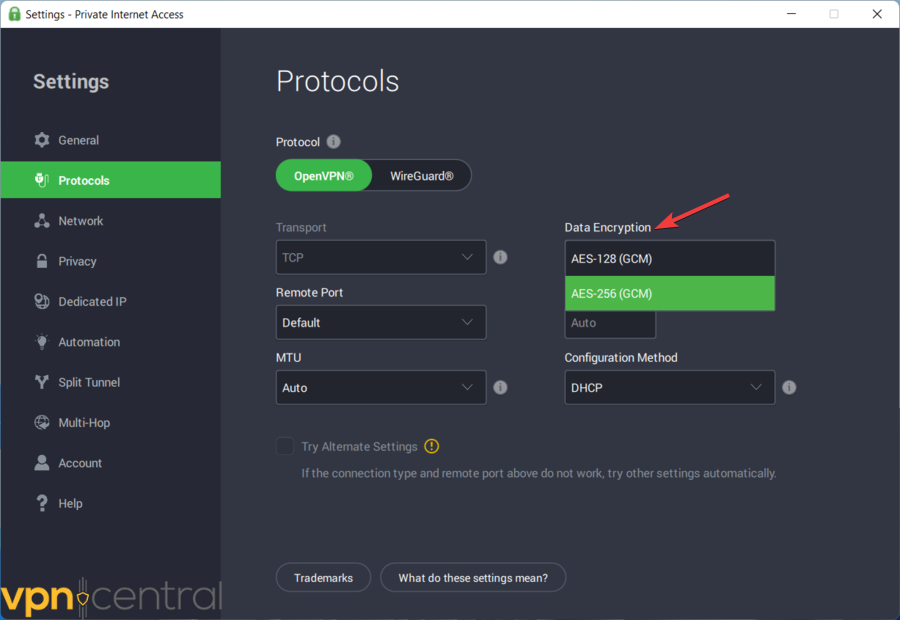
- Expand the Data Encryption option and select 128-bit.
- Access DMM Games.
Missing any of the above features on your VPN? Then…
4. Change VPNs
Some VPNs do a better job than others. Accordingly, you’ll never go wrong with the following DMM-compatible VPNs.
- ExpressVPN: This is a beginner-friendly gaming VPN. It’s easy to set up and works with DMM, including similar platforms.
- Private Internet Access (PIA): It has 65,000+ servers worldwide, including 160 in Japan. The service is fast and allows unlimited device connections.
- NordVPN: The service offers obfuscation technology to bypass detection. It also has servers across major cities in Japan for convenience.
There you go!
Wrapping up
Is your DMM VPN not working? Well, this problem will no longer be bothersome.
Use the steps I’ve provided to ensure you regain access to the platform. Alternatively, consider switching to a DMM-compatible virtual private network service.
Or else, you can try other tricks that don’t require a VPN. They include using Psiphon and SmartDNS Proxy, which work incredibly well.


Read our disclosure page to find out how can you help VPNCentral sustain the editorial team Read more


Improve this guide


User forum
0 messages