
3 Ways to Fix Fortnite Packet Loss Issues
Streamline your connection for a better gaming experience.


 4 min. read
  Updated on

Is the Fortnite packet loss issue affecting your gameplay? Worry not – you’re in safe hands.
Most players report encountering the problem while playing this addictive game. The truth is, I’ve been there before and managed to find different workarounds.
I know you can’t wait to get back to gaming. So, I’ll walk you through the most effective solutions to clear Fornite’s packet loss glitch for good.
Ready? Follow my lead.
Quick Guide: Fix Fortnite packet loss
Follow these steps:
- Get NordVPN.
- Install the VPN on your device.
- Connect to US or EU servers.
- Launch Fortnite.
- Enjoy!
It’s that simple.
Why does Fortnite encounter packet loss?
Fortnite experiences packet loss issues due to various factors, starting with network congestion. This mainly occurs during peak hours, when the publisher’s servers are busy.
Faulty hardware and misconfigurations can also affect your connection. If not, your internet provider may be throttling your speeds, impacting gameplay.
Server-side issues are additional factors that you shouldn’t rule out. You’ll experience this when Fortnite’s servers are down or undergoing maintenance.
Luckily, the packet loss issue is easy to fix.
Fortnite packet loss – Fixed
Follow the workarounds below to clear Fortnite’s packet loss issues.
1. Limit client ticks
By default, Fortnie sends multiple requests between your device and its servers. This can cause the game to lose packets, especially during peak times.
To avoid this, you can limit the number of connections within the game’s settings. Doing so prioritizes traffic, which improves the game’s experience.
Here’s how:
- Launch the Epic Games launcher on your device.
- Locate Settings under the Unreal Engine option.
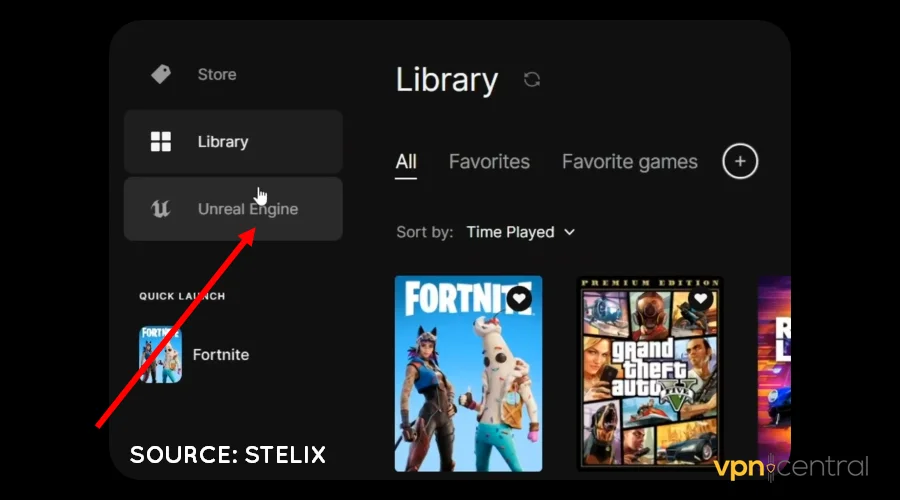
- Scroll down and select Fortnite.
- Choose Additional Command Line Arguments.
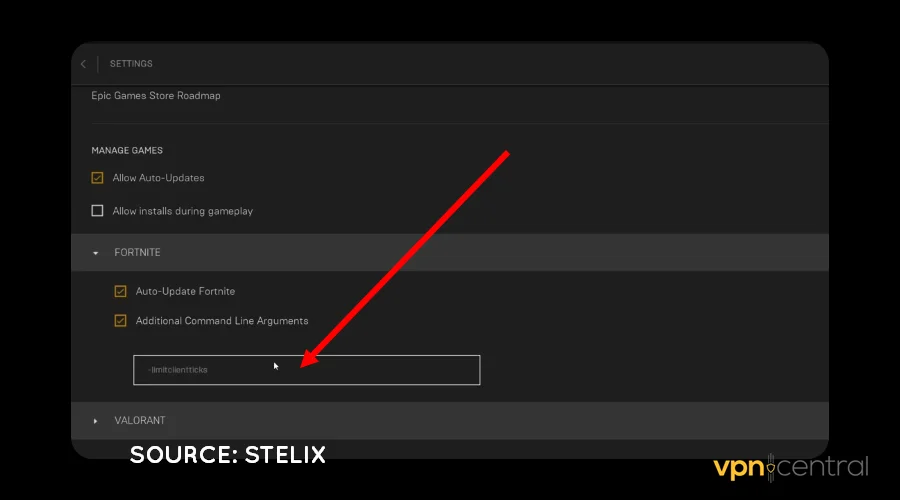
- Paste the command -limitclientticks and Save.
This trick throttles background game updates, making Fortnite snappier. Sounds good, right?
2. Change DNS
The domain name system (DNS) helps internet-enabled devices exchange information on the web. However, your ISP’s default service can be problematic, causing packet loss.
Luckily, tons of free, faster, and efficient alternatives are available. Some examples include Google Public DNS, Cloudflare, OpenDNS, etc.
Here’s how to do it:
- Access your router’s Administrator Panel.
- Locate Advanced Network Settings.

- Look for DNS Settings.
- Change the Primary and Alternative DNS to your preferred provider.
- Save and reboot the router.
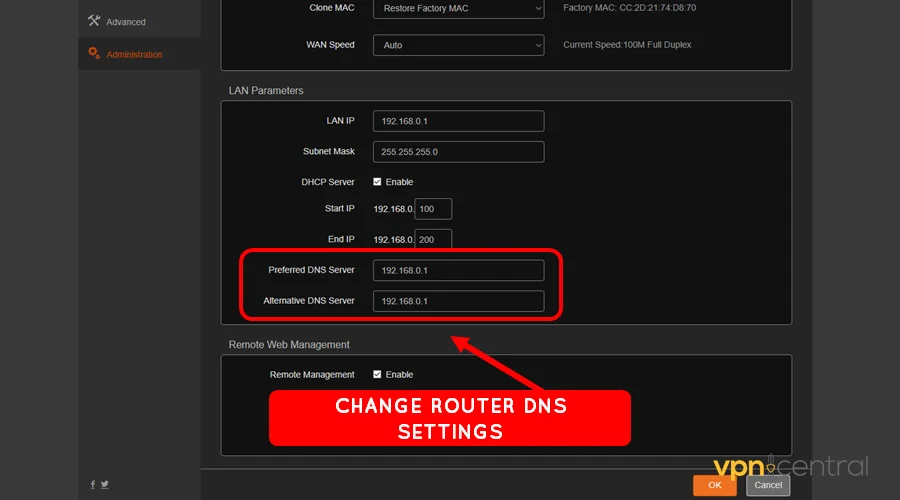
- Launch Fortnite and enjoy.
Still experiencing packet loss?
3. Use a VPN
Gaming VPNs are well-designed to utilize the most efficient network route. They also connect to the nearest servers, bringing you closer to the action.
Such advantages help avoid packet loss by prioritizing important connection requests. Additionally, using a reliable service lets you bypass ISP’s traffic throttling.
I recommend you use NordVPN because it’s fast, reliable, and secure. Moreover, the vendor includes a web antivirus to keep your devices safe.
Follow these steps:
- Subscribe to any NordVPN plan.
- Download and install the VPN.
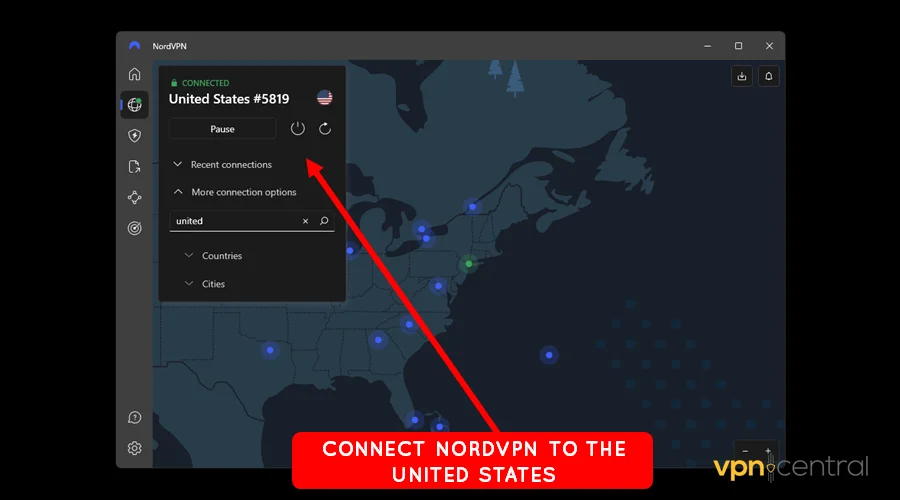
- Connect the VPN to a US or UK server. Most Epic Games servers are within these regions.
- Launch Fortnite on your device.
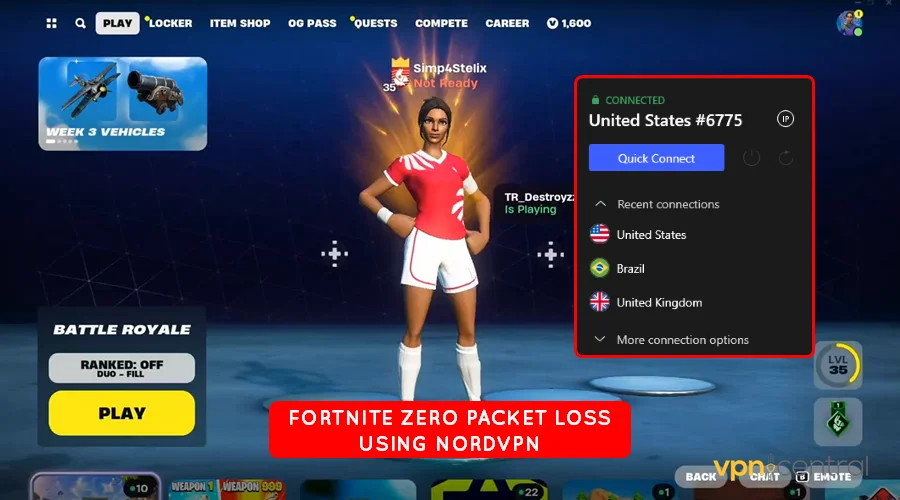
- Enjoy the gameplay.
NordVPN supports ten simultaneous connections, perfect for multiple device owners. This ensures you secure your entire household without paying extra.

NordVPN
Avoid packet loss issues on Fortnite using this gaming-optimized VPN service.Wrapping up
Fornite packet loss issues can be a pain. Fortunately, such problems are easy to fix by following the given workarounds.
Start by limiting the requests the game makes to prioritize your network traffic. Changing to a much faster DNS can also optimize your connection.
If everything fails, consider investing in a good VPN. The service comes ready to enhance connectivity and overall experience.


Read our disclosure page to find out how can you help VPNCentral sustain the editorial team Read more


Improve this guide



User forum
0 messages