
Airtel AirFiber Not Working With VPN: Beginner-Friendly Fixes That Work


 8 min. read
  Published on

If Airtel AirFiber is not working with your VPN, the problem is usually something small but frustrating. You might see error messages like VPN connection failed, cannot connect to server, or the tunnel connects but stalls after a few seconds. Sometimes the VPN keeps disconnecting or websites half-load before freezing.
This happens because AirFiber runs on 5G networks with special setups like CGNAT, which can block certain VPN ports. The good news is that you don’t need to be technical to fix it. With a few simple changes such as switching your VPN protocol to TCP 443, lowering the MTU, or forcing SSL on work VPNs, you can solve common AirFiber VPN errors.
Table of contents
- Before you start
- Fix 1: Change VPN protocol to TCP on port 443
- Fix 2: Force Work VPN to SSL only
- Fix 3: Lower your VPN MTU to stop hidden packet loss
- Fix 4: Try a different VPN protocol
- Fix 5: Change your DNS
- Fix 6: Ask Airtel for a public IP or add your own router
- Fix 7: Switch to a more reliable VPN
- Device-specific steps
- Troubleshooting checklist
- FAQs
- Summary
Before you start
- Restart AirFiber: Unplug your AirFiber box, wait two minutes, and plug it back in. This often clears temporary glitches that cause connection failed errors.
- Check basics: Make sure Wi-Fi is connected on your device. Sometimes the issue looks like a VPN error but is really a Wi-Fi drop.
- Update your VPN app: Outdated apps often throw errors like “tunnel not established.” Update to the latest version.
- Test another network: Connect the same VPN on your mobile hotspot. If it works there, the issue is specific to AirFiber, not your VPN provider.
Sometimes these issues also appear with other ISPs. For example, if your VPN is not working with Spectrum, the fixes are very similar.
Fix 1: Change VPN protocol to TCP on port 443
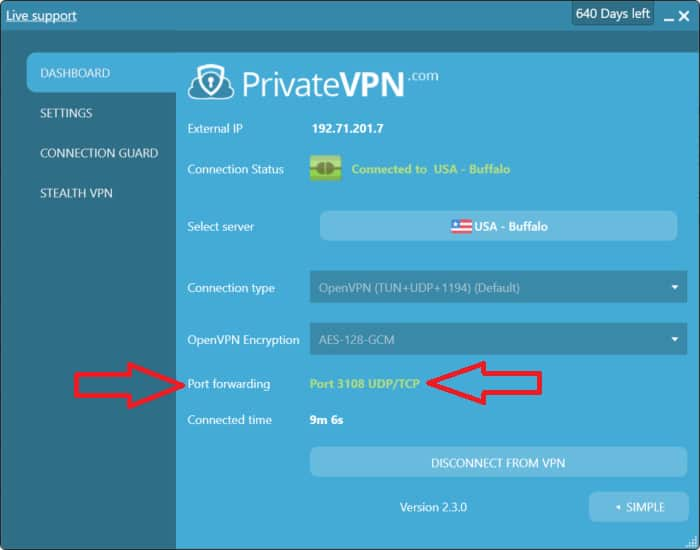
Why this helps: Many VPNs use UDP by default. On AirFiber, UDP packets may be blocked or unstable, causing repeated disconnects. TCP on port 443 is the same channel websites use for HTTPS traffic, so it is almost never blocked. Switching protocols removes common VPN connection failed errors on AirFiber.
- Open your VPN app.
- Go into Settings or Preferences.
- Look for Protocol and switch it from UDP or Automatic to TCP.
- If you see a Port option, set it to 443.
- Save the changes and reconnect.
Fix 2: Force Work VPN to SSL only
Why this helps: Work VPNs like GlobalProtect often default to IPSec over UDP 4501. Airtel AirFiber blocks this, which leads to errors like cannot connect to server or endless spinning during login. Forcing SSL makes GlobalProtect use TCP 443, which looks like regular web traffic and passes through AirFiber.
- Open the GlobalProtect app.
- Click the gear icon and select Settings.
- Go to the Network tab.
- Uncheck Enable IPSec.
- Click Apply and reconnect.
Fix 3: Lower your VPN MTU to stop hidden packet loss
Why this helps: MTU sets the maximum packet size. If your VPN tries to send larger packets than AirFiber allows, they get dropped silently. This is why the VPN may connect but websites half-load or apps freeze. Lowering MTU removes the packet loss that causes “VPN keeps disconnecting” issues. If you’ve had to troubleshoot packet loss on Verizon, the logic is the same.
WireGuard
- Open the WireGuard app.
- Select your tunnel and tap Edit.
- Scroll to MTU under Advanced.
- Enter 1280 and save.
- Reconnect.
OpenVPN
tun-mtu 1400
mssfix 1360
Save your .ovpn file and reconnect. If it still fails, lower tun-mtu to 1350.
Fix 4: Try a different VPN protocol
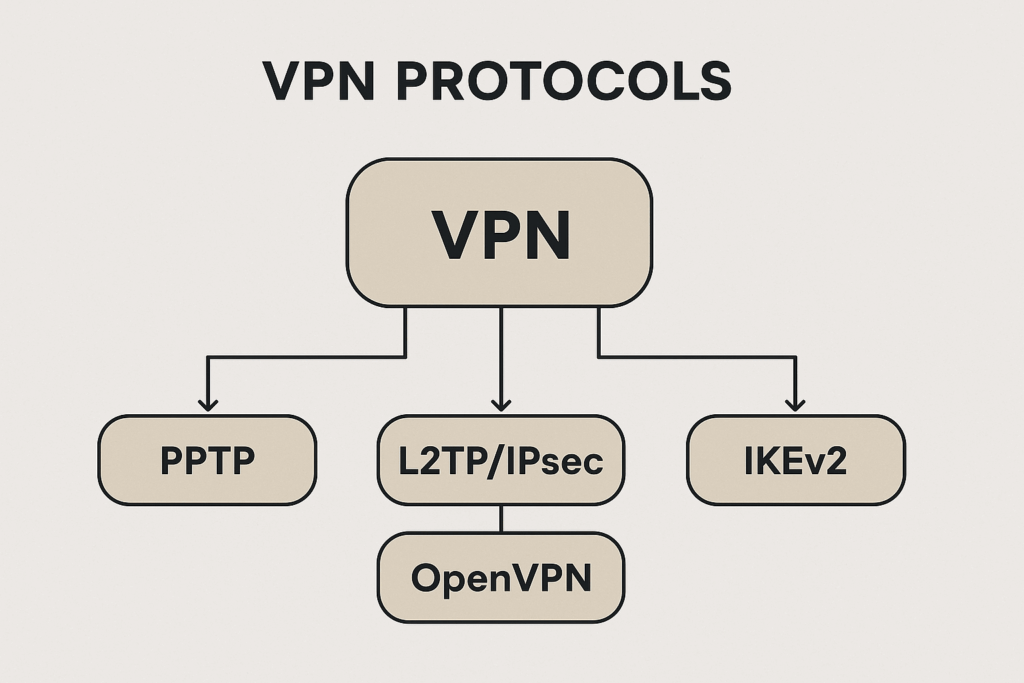
Why this helps: Some VPN protocols simply work better with AirFiber. WireGuard may be fast but can fail with MTU issues. OpenVPN over TCP is slower but more stable. IKEv2 is reliable on mobile devices. Understanding what a VPN server is helps you see why different routes behave differently on the same ISP.
- Open your VPN app.
- Go to Settings → Protocol.
- Switch in this order:
- OpenVPN TCP
- IKEv2
- Stealth or Obfuscation mode if offered
- Save and reconnect each time.
Fix 5: Change your DNS
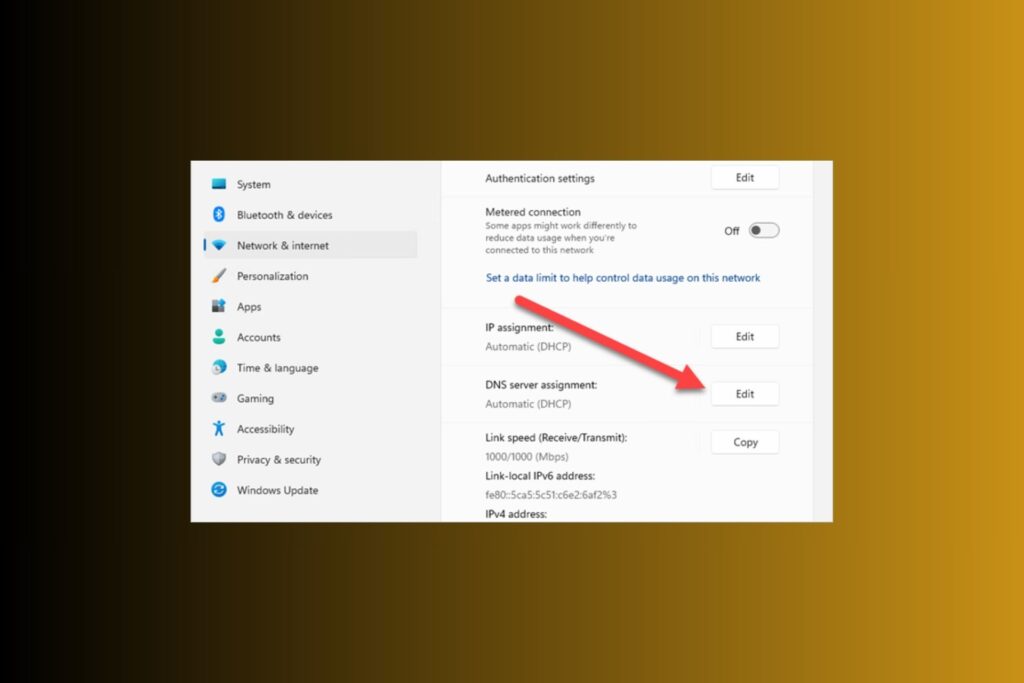
Why this helps: Sometimes the VPN tunnel is up, but DNS queries fail. This looks like “connected but no internet.” By switching to Cloudflare or Google DNS, you avoid Airtel’s flaky DNS and remove the error where sites do not load even though VPN shows connected.
- Open your VPN app.
- Go to Settings → Advanced or DNS.
- Enter 1.1.1.1 or 8.8.8.8.
- Save and reconnect.
On Android, turn off Private DNS temporarily to avoid conflicts.
Fix 6: Ask Airtel for a public IP or add your own router
Why this helps: AirFiber uses CGNAT, which means many users share the same public IP. This often breaks VPNs that expect direct addressing and results in errors like cannot reach VPN server. Some ISPs handle VPNs similarly, leading people to ask does Cox block VPN. Airtel doesn’t block VPNs outright, but CGNAT can mimic the same effect.
- Call Airtel customer support.
- Ask if they can provide a public or static IP for your AirFiber plan.
- If not possible, connect your own router behind the AirFiber box and configure the VPN there.
Fix 7: Switch to a more reliable VPN
Why this helps: Sometimes the issue is not only with Airtel AirFiber but also with the way your current VPN provider handles connections. Some smaller VPNs don’t offer reliable fallback protocols, smart server switching, or advanced obfuscation. This means you keep running into errors like VPN connection failed or tunnel not established no matter what settings you change. A high-quality provider can overcome these hurdles by using stronger infrastructure and more connection options.
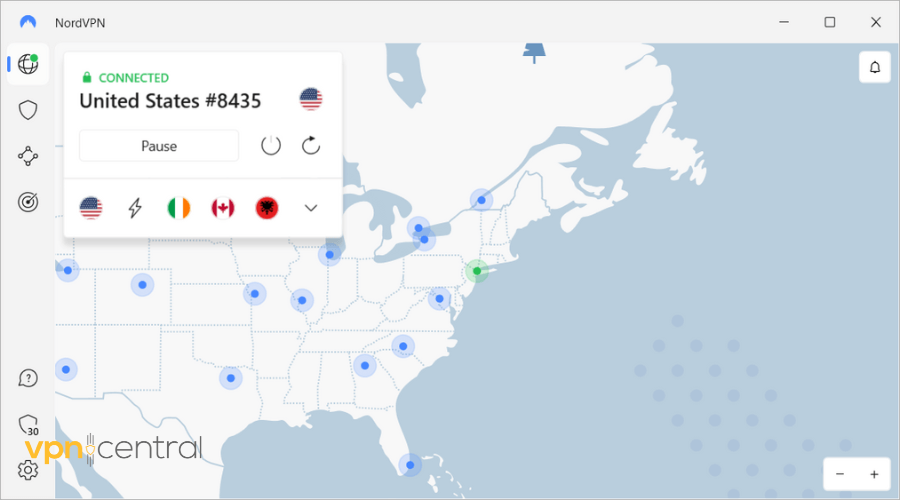
NordVPN is one of the best options because it comes with built-in obfuscation, reliable WireGuard (NordLynx), and automatic protocol switching that adapts to tricky networks like AirFiber. It also has thousands of servers worldwide, so if one path fails, it can instantly reroute to another. This dramatically reduces connection failed messages and keeps your VPN running smoothly on Airtel.

NordVPN
If your current VPN still gives you errors, try NordVPN today and see the difference in speed and stability on Airtel AirFiber.Device-specific steps
On Windows 10 and Windows 11
Switch your protocol to TCP 443. If you use GlobalProtect, disable IPSec. If the VPN still shows “connection failed” or stalls, lower MTU to 1280 in the client. This combination often restores stability.
On Android
Pick TCP 443 or Stealth mode in your VPN app. For WireGuard, set MTU to 1280. Turn off Private DNS during testing. This prevents tunnel not established errors and makes apps load consistently.
On iPhone and iPad
Use IKEv2 or OpenVPN TCP 443. If available, enable Stealth. Restart both your phone and the AirFiber unit to refresh the tunnel and clear connection failed messages.
Troubleshooting checklist
- Test your VPN on a mobile hotspot. If it works there, the issue is AirFiber-specific.
- Switch to TCP 443, which removes most connection errors.
- Lower MTU to fix cases where the VPN connects but internet does not work.
- Still broken? Call Airtel to ask for a public IP option.
If problems continue, consider the bigger picture of how ISPs interact with VPNs. Many users wonder does a VPN bypass data caps since ISPs throttle or limit traffic. Airtel may not block VPNs directly, but knowing these factors helps troubleshoot smarter.
FAQs
No. Airtel allows VPN traffic but CGNAT and blocked UDP ports often trigger VPN errors. Using TCP 443 avoids this.
Start with 1280 and adjust upward to 1380. This removes hidden packet loss and stops freezes.
UDP ports are blocked. Forcing SSL over TCP 443 usually fixes login hangs.
Sometimes yes. Ask Airtel about static IP options for AirFiber.
Yes. Gamers often compare the best ISP for ping because latency directly affects VPN stability.
It is your device’s identifier on the internet. For a refresher, check this guide on what an IP address is.
Summary
Most Airtel AirFiber VPN errors like VPN connection failed, cannot connect to server, or connected but no internet come from blocked UDP ports or MTU mismatches. Switching your VPN to TCP 443 solves the majority of these problems because it looks like standard web traffic.
If you’re having problems with Airtel Xstream not working with VPN, similar steps will help you address them.
If you are using GlobalProtect for work and the tunnel hangs after login, forcing SSL mode ensures it runs on TCP 443 instead of blocked UDP ports. That makes the VPN stable on AirFiber.
Packet loss is another hidden issue. When your VPN packets are too large, AirFiber silently drops them. Lowering your MTU to 1280 to 1380 ensures every packet passes cleanly, which fixes cases where the VPN connects but stalls.
If DNS is the culprit, changing to Cloudflare or Google DNS solves the connected but no internet issue quickly. Finally, for advanced needs, Airtel’s CGNAT may stand in the way. Asking for a public IP, using your own router, or switching to a more robust provider like NordVPN gives you more control and prevents recurring connection failed messages.
With these fixes, Airtel AirFiber can work smoothly with personal and work VPNs without disruptions.


Read our disclosure page to find out how can you help VPNCentral sustain the editorial team Read more


Improve this guide




User forum
0 messages