
How to Fix MEXC Not Working With VPN Access Errors


 7 min. read
  Published on
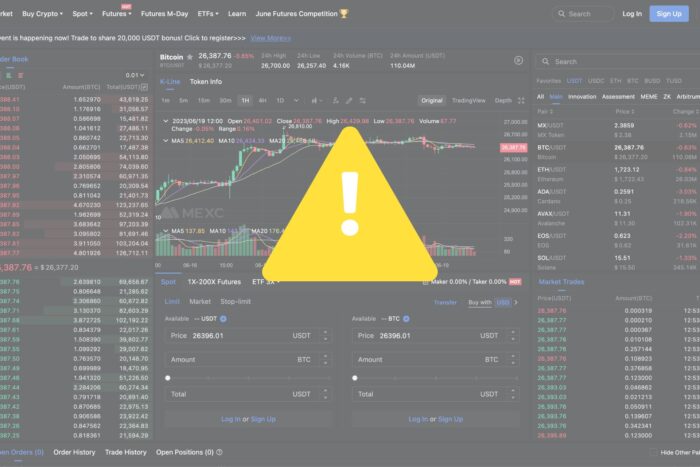
If you’ve tried accessing MEXC with a VPN and it’s not working, it’s mostly due to blocked logins, connection drops, or frozen accounts.
Below, we’ll explain why this happens, how to troubleshoot it safely, and what the legal implications are for VPN crypto trading.
Table of contents
Why Is MEXC Not Working With VPN?
When MEXC isn’t working with your VPN, it’s usually because of the platform’s security filters and compliance systems. Common causes include:
- Geo-IP Blocking: If your VPN server is located in a banned region like the U.S., MEXC will reject the connection.
- Frequent IP Changes: Constantly switching servers looks suspicious to automated fraud systems.
- Data Center IP Detection: MEXC recognizes IPs associated with VPN providers and blocks them.
- DNS or IPv6 Leaks: These leaks can expose your real location even while connected to a VPN.
- KYC Conflicts: Your identity information may not match your current IP, triggering verification holds.
These mechanisms are designed to prevent users from bypassing local trading restrictions.
How to Fix MEXC Not Working With VPN
While using MEXC with a VPN violates MEXC’s Terms, some users still troubleshoot purely for connectivity testing. Below are neutral, informational tips. Proceed at your own risk.
1) Switch to a Supported Server
Use a server in a country where MEXC operates (e.g., Taiwan, Netherlands). Avoid U.S./Canada or other restricted locations. If one server is blocked, try another in the same region. For provider and setup suggestions, see our guide on the best VPNs for MEXC trading for reliable configuration examples.
Step-by-step:
- Disconnect your VPN completely.
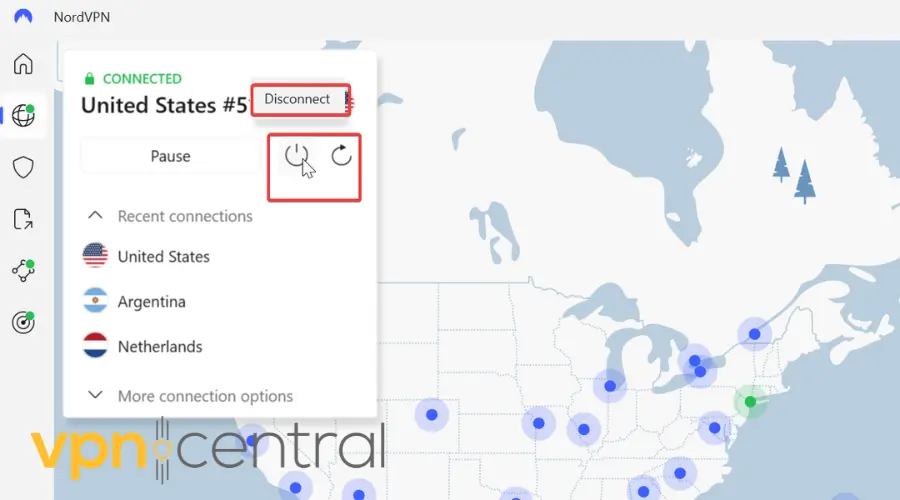
- Open the VPN app and select a country that MEXC supports (not the U.S./Canada).
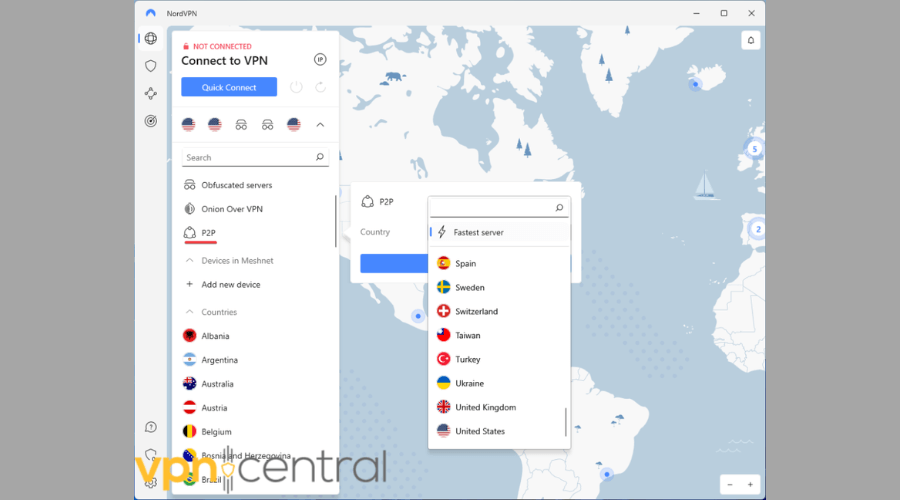
- Pick a city/server with low load; avoid “streaming” or “P2P-only” tags if possible.
- Reconnect and confirm your IP country at an IP checker site.
- Retry MEXC in a fresh browser session (see Step 5 on cookies).
2) Use a Dedicated or Static IP
A dedicated/static IP reduces “new device/location” alerts and avoids noisy shared IPs that exchanges often flag.
Step-by-step:
- Check if your VPN offers a dedicated/static IP add-on.
- Purchase/assign the dedicated IP in a suitable region.
- In the VPN app, select the dedicated IP profile.
- Reconnect using that dedicated IP every time you access MEXC.
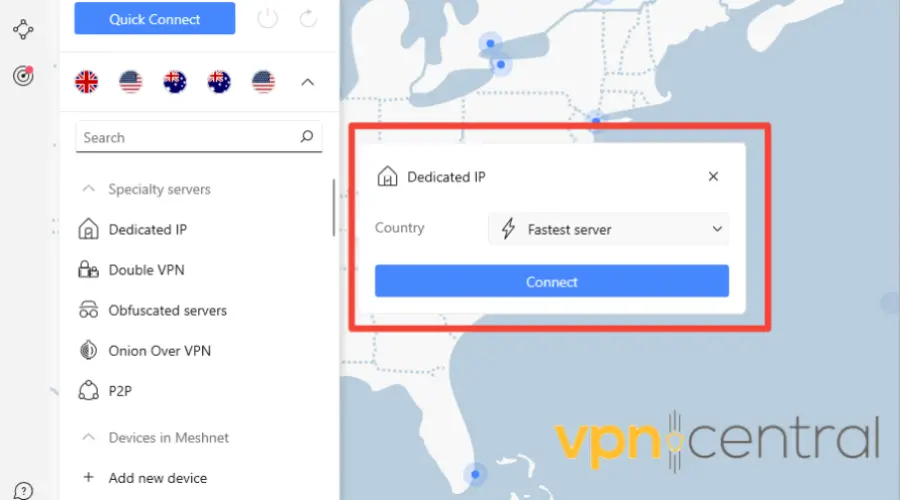
- If the IP later gets flagged, request a replacement from your VPN provider.
3) Enable DNS/IPv6 Leak Protection & Kill Switch
Leak protection keeps DNS/IPv6 traffic inside the tunnel; a kill switch blocks traffic if the VPN drops to prevent exposure.
Step-by-step:
- Open your VPN’s Settings.
- Enable “DNS leak protection.”
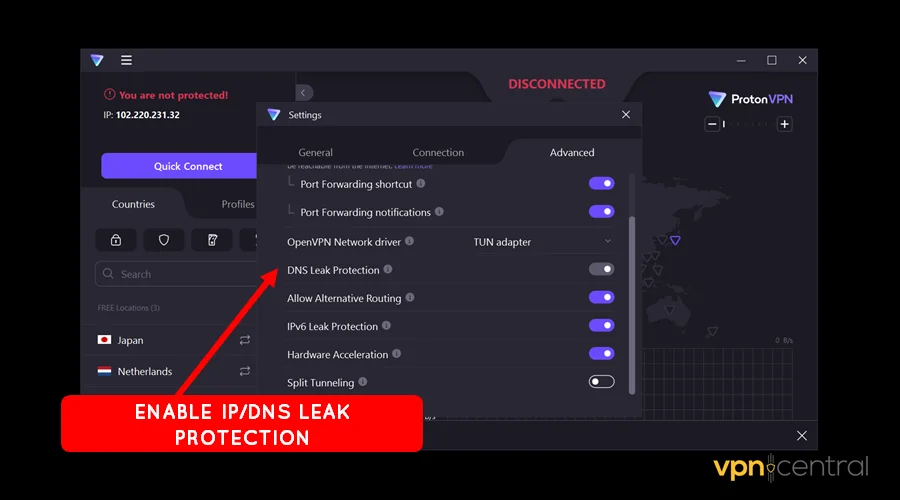
- Disable IPv6 at the OS level or enable the VPN’s IPv6 protection.
- Turn on the “Kill Switch” (system-wide if available).
- Reconnect the VPN and verify no leaks via a DNS/IP leak test site.
4) Use Obfuscated/Stealth Servers
Obfuscation disguises VPN traffic as regular HTTPS, which can evade basic VPN detection.
Step-by-step:
- In your VPN, locate “Obfuscated,” “Stealth,” or “Camouflage” servers.
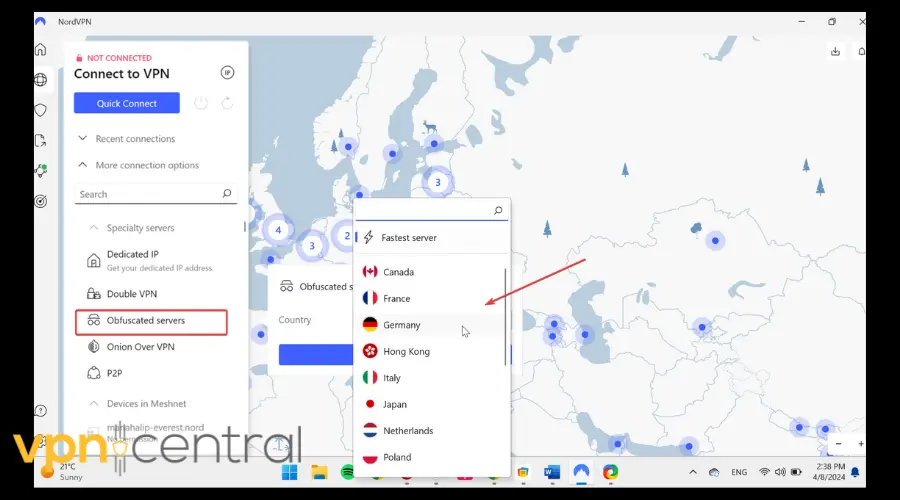
- Choose OpenVPN TCP or the provider’s stealth mode if required.
- Connect to an obfuscated server in a supported region.
- Confirm the tunnel protocol/mode in the app’s connection details.
- Test MEXC access in a private/incognito window.
5) Switch to Another VPN (Recommended: NordVPN)
If your current VPN consistently fails, try switching to a provider that’s known for bypassing VPN detection. NordVPN is one of the few services with obfuscated servers built specifically to overcome strict firewalls used by exchanges like MEXC.
Step-by-step:
- Uninstall or disable your current VPN.
- Install NordVPN and sign in to your account.
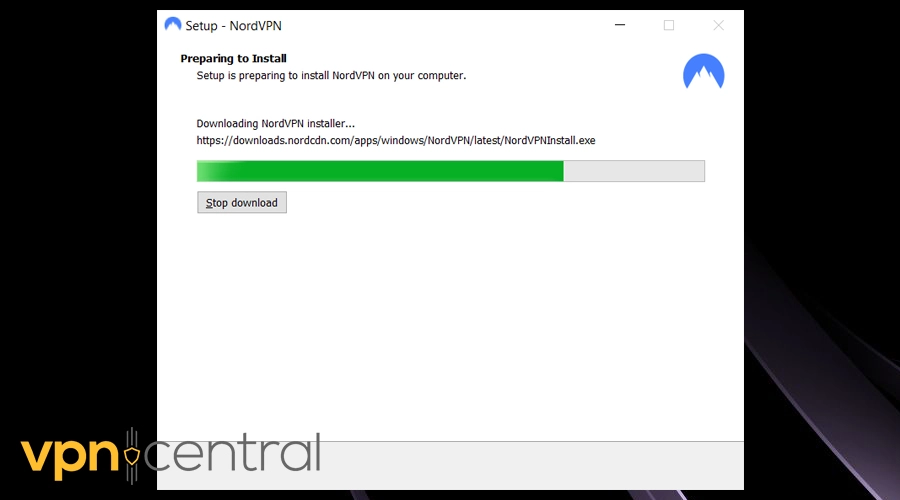
- Open the app and select an obfuscated server outside restricted regions.
- Enable “Threat Protection” and “Kill Switch” in the settings.
- Reconnect and test your access to MEXC.
NordVPN also provides dedicated IPs, fast WireGuard-based connections (NordLynx), and automatic DNS/IPv6 leak protection, all of which help reduce false flags. It’s widely recognized for maintaining stable access even under heavy geo-restrictions.
Using a premium VPN with advanced stealth tech significantly increases the chances of maintaining a stable, private connection without constant blocks.

NordVPN
Unlock MEXC hitch free using this unblockable VPN!6) Clear Cookies and Start a Fresh Session
Old cookies/session tokens can tie you to a previous (blocked) IP or region.
Step-by-step:
- Log out of MEXC on all browsers/devices.
- Clear browser cache, cookies, and site data for MEXC (or use Incognito/Private Mode).
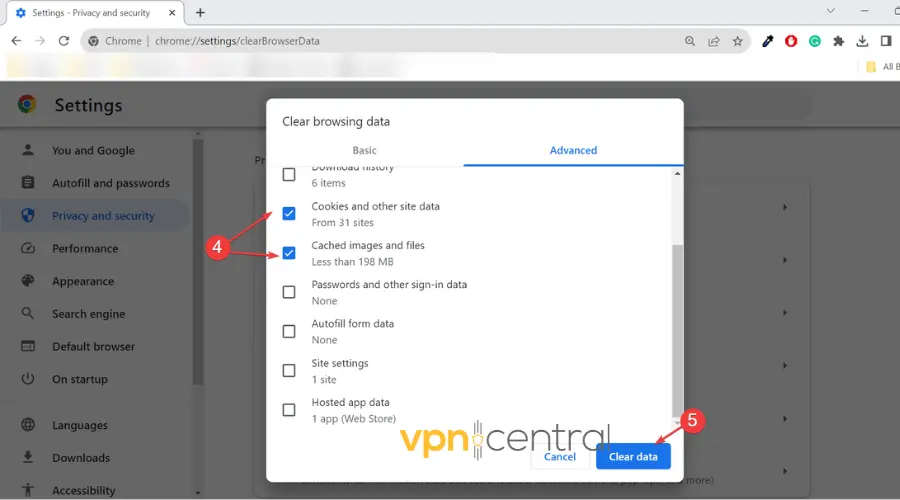
- Close the browser completely.
- Connect the VPN first; verify the new IP country.
- Reopen the browser in Incognito and attempt login again.
7) Additional Networking Checks
Tighten the rest of your network stack to avoid accidental leaks or conflicts.
Step-by-step:
- Run a full IP/DNS/WebRTC leak test after connecting the VPN.
- Close background apps that may force direct connections (torrent clients, sync tools).
- Disable “Smart DNS” or custom DNS on your router/device while testing.
- If your VPN offers split tunneling, ensure the browser/app for MEXC is included in the tunneled list.
- As a last resort, try a different VPN protocol (e.g., WireGuard → OpenVPN TCP) and retest.
Is It Illegal to Use a VPN to Trade Crypto?
Using a VPN in the United States is perfectly legal. What’s not allowed is accessing or trading on a platform that’s banned in your jurisdiction.
- VPN Legality: The U.S. government does not restrict VPN usage; it’s a legitimate privacy tool.
- Sanctioned Regions: Trading via a VPN with exchanges in sanctioned countries like Iran or North Korea is illegal under OFAC laws.
- Licensing Laws: Since MEXC is unlicensed in the U.S., using it could violate state-level financial regulations.
- Tax Reporting: VPN use doesn’t exempt you from IRS reporting requirements. You still must declare all crypto gains.
So while a VPN isn’t illegal, using it to evade geographic restrictions may breach compliance rules and lead to account termination.
What Countries Can’t Use MEXC?
As of 2025, MEXC blocks registration and trading from the following countries and regions:
- United States and all territories
- Canada
- Mainland China and Hong Kong
- Singapore
- Iran
- North Korea
- Cuba
- Sudan
- Syria
- Russian-occupied regions of Ukraine
Some countries, such as the UK, Japan, or India, may allow web-based trading but restrict access to the mobile app. These restrictions are regularly updated in MEXC’s Terms of Service.
Conclusion
If MEXC isn’t working with your VPN, the problem usually lies in the exchange’s strict anti-proxy and geofencing systems that automatically block VPN IPs. While technical tweaks like stealth servers or static IPs can help, these steps don’t remove the underlying compliance risk.
For those who want to trade safely and still keep privacy protection, check out our overview of top VPNs for crypto casinos and exchanges, these services are fully transparent about crypto compatibility and legal region support.


Read our disclosure page to find out how can you help VPNCentral sustain the editorial team Read more


Improve this guide



User forum
0 messages