
Why NOW TV Isn't Working with Your VPN (and How to Fix It)


 7 min. read
  Published on

NOW TV can block access when it detects a VPN connection, often showing region-related errors or refusing to stream content altogether.
This happens because the service restricts IP addresses linked to VPN servers. Adjusting your VPN configuration or selecting a different server location can usually resolve the issue quickly.
Table of contents
- Why is NOW TV Not Working with VPN?
- Common Errors and Their Causes
- How to Fix NOW TV VPN Issues
- 1. Switch VPN Servers
- 2. Clear Your Browser Data
- 3. Disable GPS and Location Services
- 4. Use Incognito Mode
- 5. Update or Reinstall Your VPN Software
- 6. Switch VPN Protocols
- 7. Contact VPN Support
- 8. Use a VPN-Compatible Router
- Recommended VPNs for NOW TV
- Conclusion
Why is NOW TV Not Working with VPN?
NOW TV actively blocks VPN traffic to prevent users from accessing content that isn’t available in their region. This is a common strategy used by streaming services to enforce regional content restrictions. If you’re experiencing issues such as “You appear to be using a proxy or VPN” or “NOW TV is not available in your region,” it’s likely because:
Proxy or VPN Detection
NOW TV is able to identify and block known VPN IP addresses.
Region Restrictions
If you’re outside the UK or Ireland, the platform will block access unless you’re using a UK IP address.
Device Location Mismatch
On mobile devices, your GPS location might conflict with the VPN-assigned IP address, causing detection issues.
Browser Cache Issues
Cached cookies and location data from your browser can reveal your real location, bypassing the VPN.
Common Errors and Their Causes
Here are some of the most common errors that users face when attempting to access NOW TV with a VPN:
- “You appear to be using a proxy or VPN”: This is a clear sign that NOW TV has detected VPN traffic.
- “NOW TV is not available in your region”: This error appears when you try to access content from outside the allowed regions.
- Device Location Mismatch: If you’re using a mobile device, the GPS location might not match the VPN’s IP address, triggering a block.
- Browser Cache Issues: Stored data like cookies can leak your true location, causing the VPN to be bypassed.
How to Fix NOW TV VPN Issues
If you’re encountering one of these errors, don’t worry. There are several fixes that can help you access NOW TV while using a VPN.
1. Switch VPN Servers
Step-by-Step Instructions:
- Open your VPN application on your device.
- Select the server location or server list (this may vary by provider).
- Choose a UK server: Look for a server located in the UK or Ireland, as NOW TV only allows access from these regions.
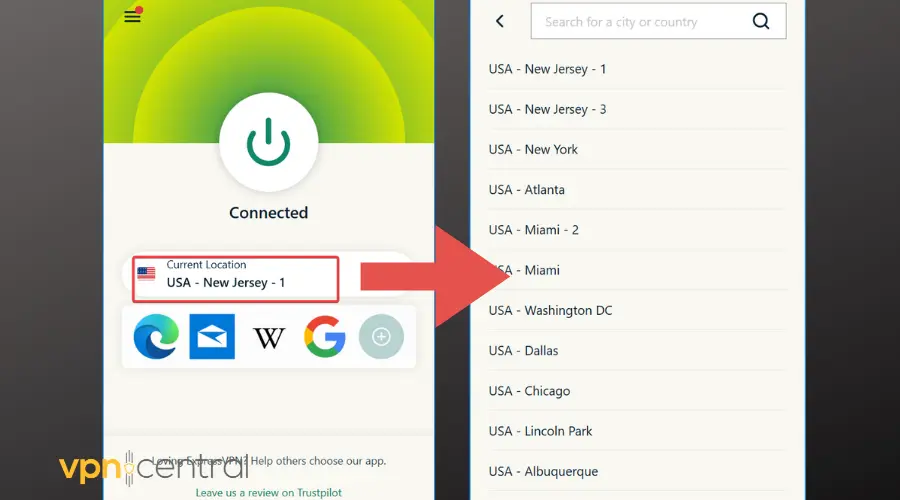
- Connect to the server: Click “Connect” to establish a connection to the UK server.
- Try accessing NOW TV again: Open your browser and try watching NOW TV to see if the issue is resolved.
Note: Some VPN providers offer specialized servers for streaming services. If your VPN provides this option, choose one optimized for NOW TV.
2. Clear Your Browser Data
Step-by-Step Instructions:
- Open your browser settings:
- For Chrome: Click the three dots in the top-right corner and select “Settings.”
- For Firefox: Click the three horizontal lines in the top-right corner and select “Settings.”
- Go to the “Privacy and Security” section.
- Find the “Clear Browsing Data” option and click it.
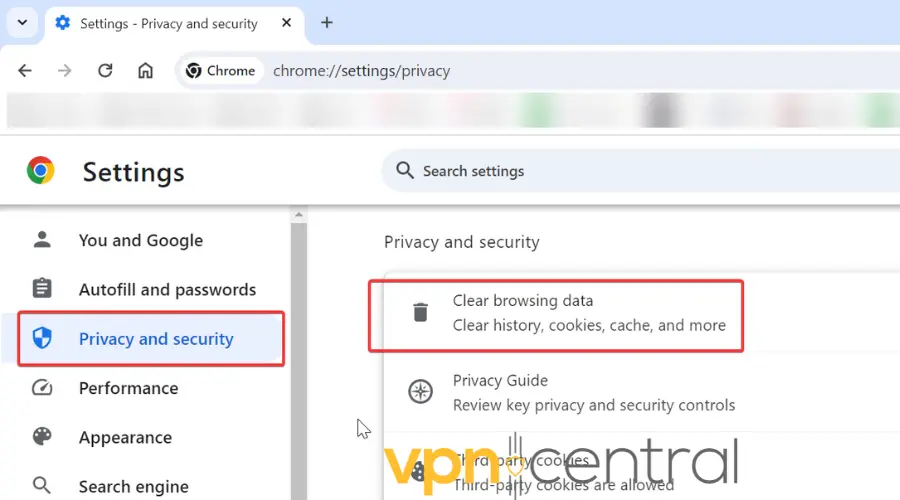
- Select “Cookies and other site data” and “Cached images and files”.
- Choose the time range as “All time” to clear all relevant data.
- Click “Clear data”.
- Restart your browser and try accessing NOW TV again.
Tip: You can also press Ctrl + Shift + Delete (Windows) or Cmd + Shift + Delete (Mac) in most browsers to open the “Clear Browsing Data” menu.
3. Disable GPS and Location Services
Step-by-Step Instructions:
For Mobile Devices (Android and iOS):
- Open the device’s Settings.
- Find “Location” or “Location Services”.
- For iOS: Go to Settings > Privacy > Location Services.
- For Android: Go to Settings > Location.
- Toggle off “Location Services” or turn off the GPS for all apps.
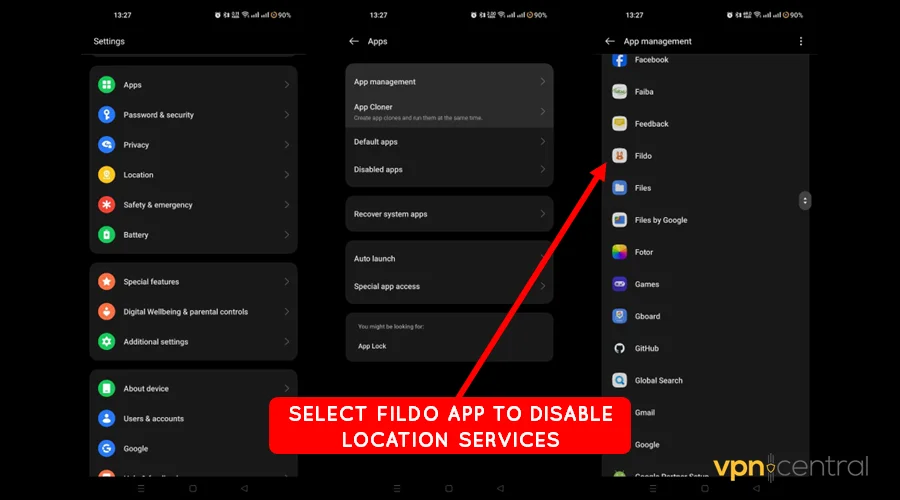
- Reconnect your VPN and select a UK server.
- Try accessing NOW TV again.
4. Use Incognito Mode
Step-by-Step Instructions:
- Open your browser.
- Open a new Incognito or Private browsing window:
- For Chrome: Click the three dots in the top-right corner and select “New Incognito Window.”
- For Firefox: Click the three horizontal lines and select “New Private Window.”
- For Safari: Click “File” in the top-left corner and select “New Private Window.”
- Connect to your VPN and select a UK server.
- Go to the NOW TV website and try streaming the content.
Note: Incognito mode prevents your browser from storing location data, cookies, or cache that could interfere with the VPN.
5. Update or Reinstall Your VPN Software
Step-by-Step Instructions:
- Open your VPN application.
- Check for updates:
- Most VPN apps have an “Update” button or a notification if an update is available. Follow the instructions to update.
- If the problem persists, reinstall the VPN:
- Uninstall the VPN: Go to your device’s “Apps” or “Programs” settings and uninstall the VPN.
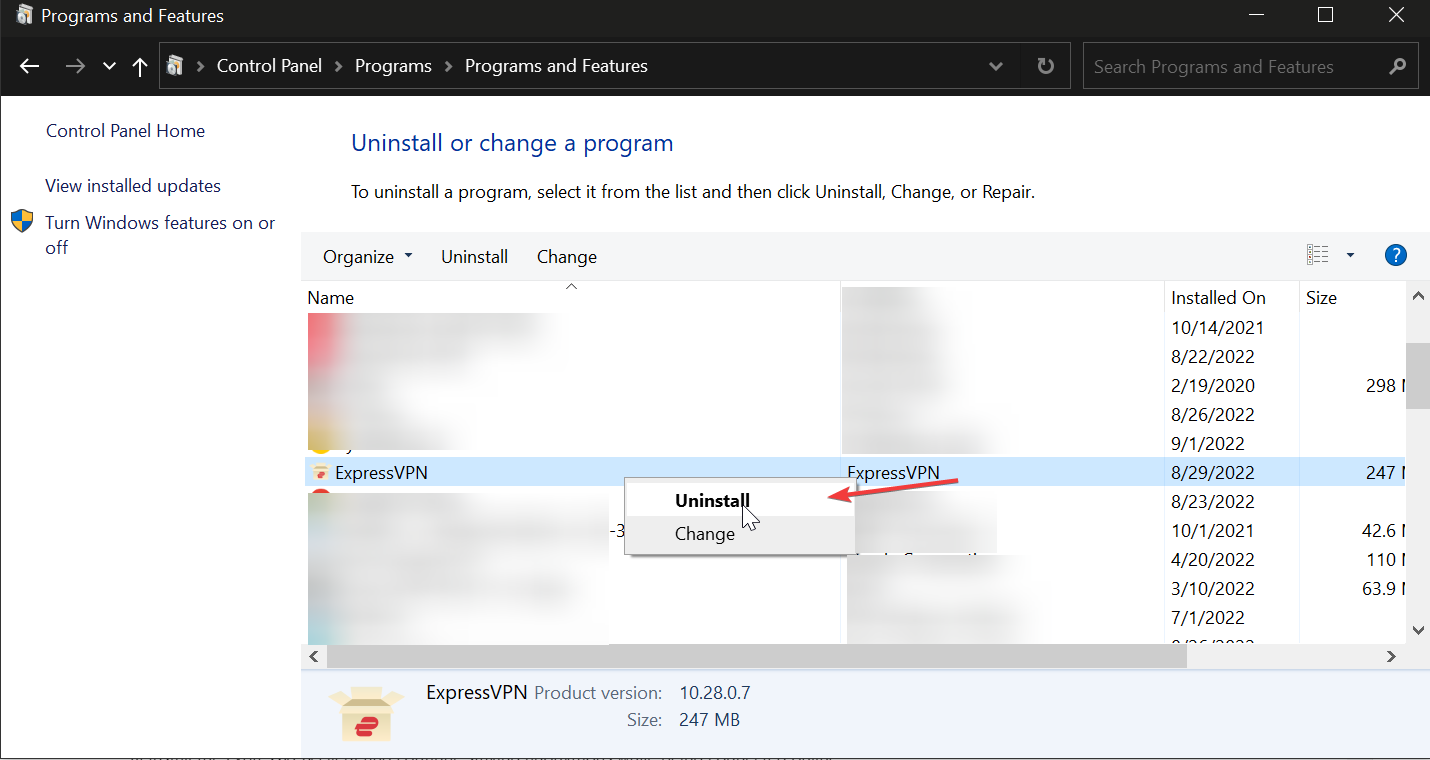
- Reinstall the VPN: Download and install the latest version of the VPN from the official website or app store.
- Uninstall the VPN: Go to your device’s “Apps” or “Programs” settings and uninstall the VPN.
- Log in to your VPN and select a UK server.
- Try accessing NOW TV again.
6. Switch VPN Protocols
Step-by-Step Instructions:
- Open your VPN application.
- Go to settings or preferences.
- Look for the “Connection” or “Protocol” settings (it might be labeled differently depending on the VPN).
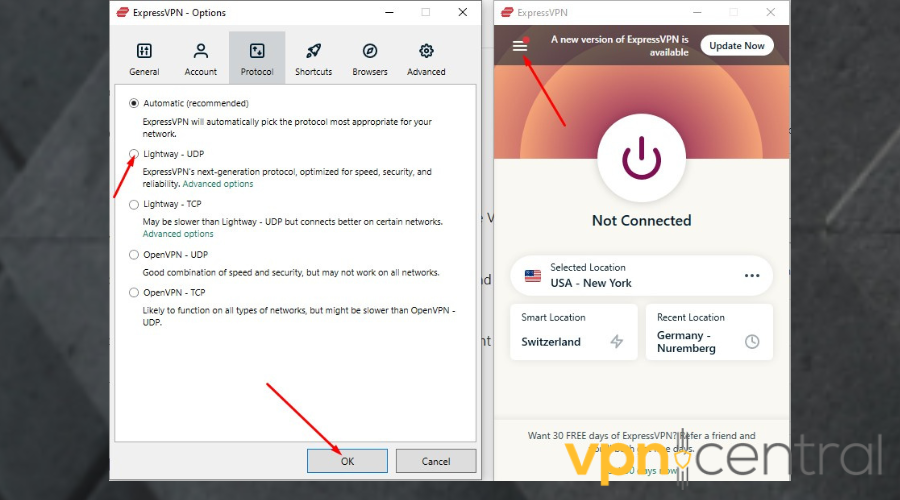
- Select a different protocol (e.g., switch from OpenVPN to WireGuard or IKEv2).
- Connect to a UK server and test NOW TV.
Note: Some VPN providers may automatically choose the best protocol for you, but you can manually switch it if needed for better performance.
7. Contact VPN Support
Step-by-Step Instructions:
- Visit the support section of your VPN provider’s website (this may be in the form of a “Help” or “Support” menu).
- Look for troubleshooting guides or a way to contact customer support directly (e.g., live chat, email, or phone support).
- Provide your issue details: Explain that you’re trying to access NOW TV and are encountering errors when using a VPN.
- Ask for assistance in finding a UK server that works reliably with NOW TV.
- Follow their instructions to resolve the issue.
Tip: Most VPN providers have a knowledge base with detailed steps for troubleshooting streaming issues.
8. Use a VPN-Compatible Router
Step-by-Step Instructions:
- Set up a VPN on your router:
- Follow the VPN provider’s instructions for setting up a VPN on your router (most VPN services offer router-specific guides).
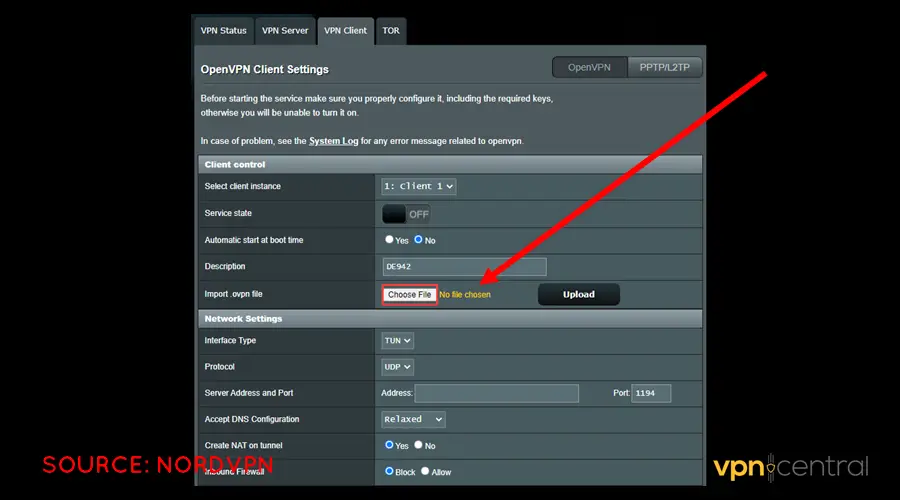
- Follow the VPN provider’s instructions for setting up a VPN on your router (most VPN services offer router-specific guides).
- Connect your device to the router: Once the VPN is set up, all devices connected to the router will use the VPN.
- Select a UK server: Use the router’s VPN interface to choose a UK server.
- Try accessing NOW TV: Your device should now be able to access NOW TV via the VPN.
Tip: If you’re not comfortable setting up a VPN on your router, consider using a VPN-enabled hotspot to route traffic through the VPN.
Recommended VPNs for NOW TV
Some VPNs are better at unblocking NOW TV than others. After recent testing, the following VPNs have proven to be the most reliable:
- NordVPN: Known for its extensive UK server network, NordVPN is a top choice for streaming NOW TV.
- ExpressVPN: A high-speed, user-friendly VPN with excellent streaming capabilities.
- Surfshark: A budget-friendly option with unlimited simultaneous connections and solid streaming performance.
- Private Internet Access (PIA): Offers robust privacy features and dedicated streaming servers.
Conclusion
Accessing NOW TV while connected to a VPN can be tricky due to the service’s regional restrictions and VPN-blocking measures. However, with the right VPN, server selection, and troubleshooting steps, you can easily bypass these restrictions and enjoy uninterrupted streaming. Follow the fixes outlined above, and if you continue to experience issues, don’t hesitate to contact your VPN provider for further assistance.
For more detailed guides, such as how to watch US TV in the UK or resolving issues when a VPN is connected but not working, you can check out this article on VPN usage with NOW TV for further insights. If you’re specifically interested in fixing VPN connection issues, visit How to resolve VPN connected but not working problems for additional troubleshooting tips.


Read our disclosure page to find out how can you help VPNCentral sustain the editorial team Read more


Improve this guide




User forum
0 messages