
PrizePicks Not Working With VPN? How to Fix It


 4 min. read
  Published on

PrizePicks not working with VPN can be frustrating if you rely on a virtual private network for privacy or remote access. PrizePicks actively blocks VPNs to verify location and prevent fraud.
Even small leaks or misconfigurations can prevent the app from functioning. This guide walks you through why VPNs fail with PrizePicks and how to troubleshoot connection issues, fix leaks, and optimize your VPN for the best chance at a stable connection.
Table of contents
- Why PrizePicks Blocks VPNs
- Step-by-Step Fixes for VPN Issues With PrizePicks
- 1. Test VPN Server Location
- 2. Check for IP, DNS, and WebRTC Leaks
- 3. Fix Common VPN Leaks
- 4. Switch VPN Protocols
- 5. Test on Different Devices and Networks
- 6. Check VPN App and Device Settings
- 7. Reduce VPN Conflict Factors
- 8 Try Using Another VPN
- 9. Monitor VPN Connection Stability
- 10. Additional Tools for VPN Troubleshooting
- Conclusion
Why PrizePicks Blocks VPNs
PrizePicks monitors multiple factors, including IP address, GPS, Wi-Fi metadata, device info, and payment details. VPN failures usually happen because:
- Your VPN IP, DNS, or WebRTC leaks reveal your real location.
- Free or shared VPN IPs are often flagged and blocked. Learn more about how VPNs are blocked.
- Device, network, or app misconfigurations interfere with VPN connectivity.
- PrizePicks only works in 45 U.S. states plus D.C., so your server location matters.
This mainly affects U.S.-based PrizePicks users who rely on VPNs for privacy or access outside supported states. A failed VPN can block logins, prevent entries, and disrupt gameplay.
Step-by-Step Fixes for VPN Issues With PrizePicks
1. Test VPN Server Location
PrizePicks only works in supported states, so your server choice matters:
- Connect to a server in a supported U.S. state.
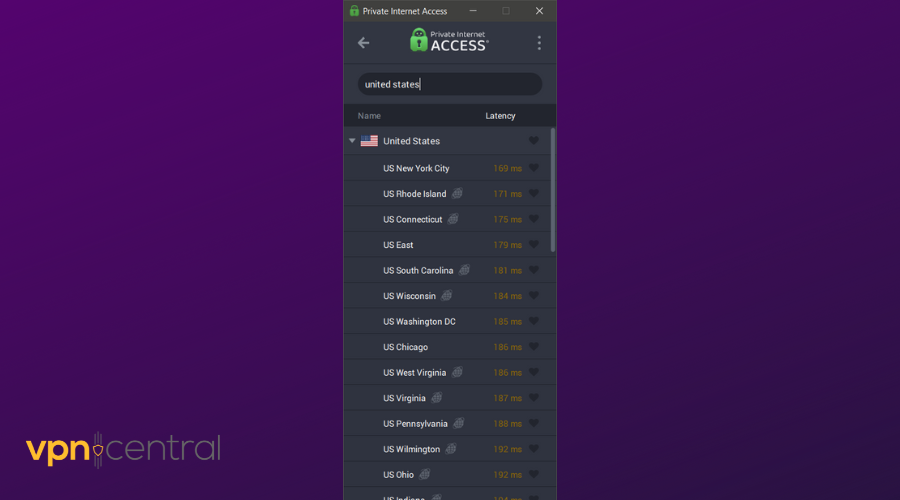
- If one server fails, try another in the same state.
- Avoid servers labeled “shared” or “popular.”
Learn more about changing VPN location and what is a VPN server.
2. Check for IP, DNS, and WebRTC Leaks
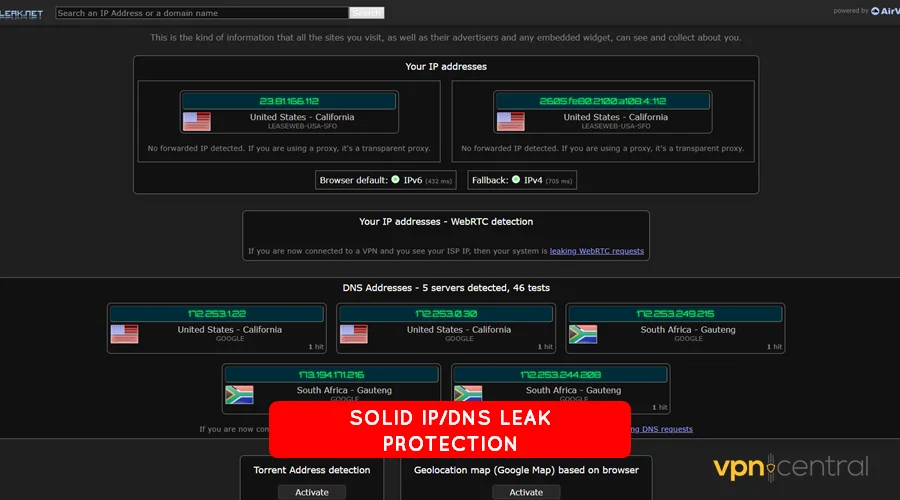
Even with a U.S. IP, leaks can reveal your real location. Test for leaks using:
If leaks exist, PrizePicks may detect your true location. For more on leak prevention, see will VPN hide my location.
3. Fix Common VPN Leaks
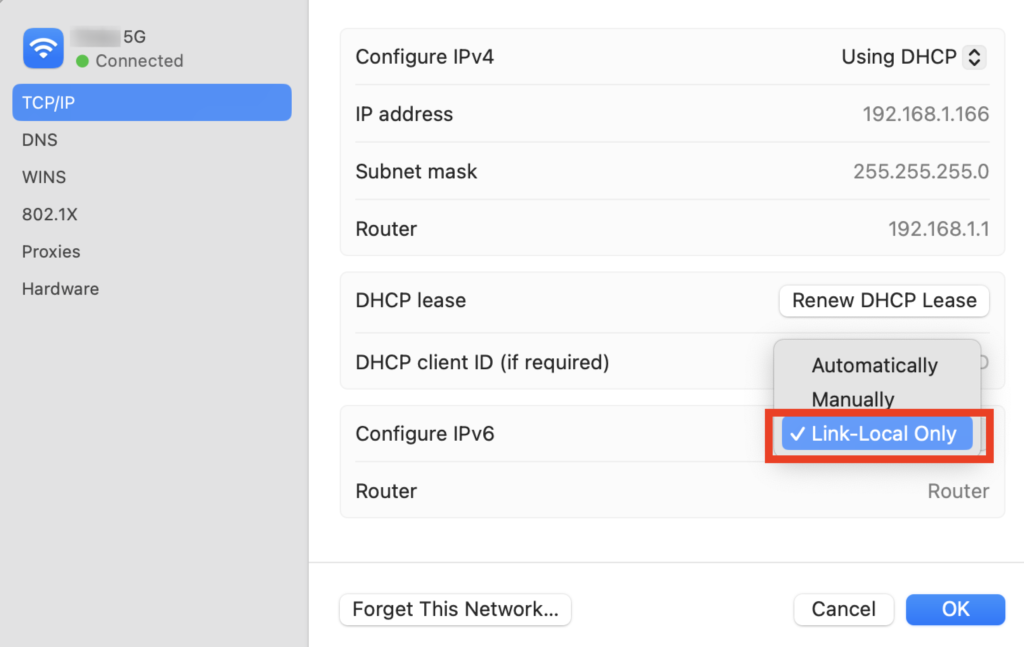
To prevent detection:
- Enable DNS leak protection in your VPN client
- Disable IPv6 on your device
- Disable WebRTC in your browser or use a WebRTC control extension
- Force VPN to use its own DNS servers
For a detailed explanation of leak prevention, see does VPN prevent location tracking.
4. Switch VPN Protocols
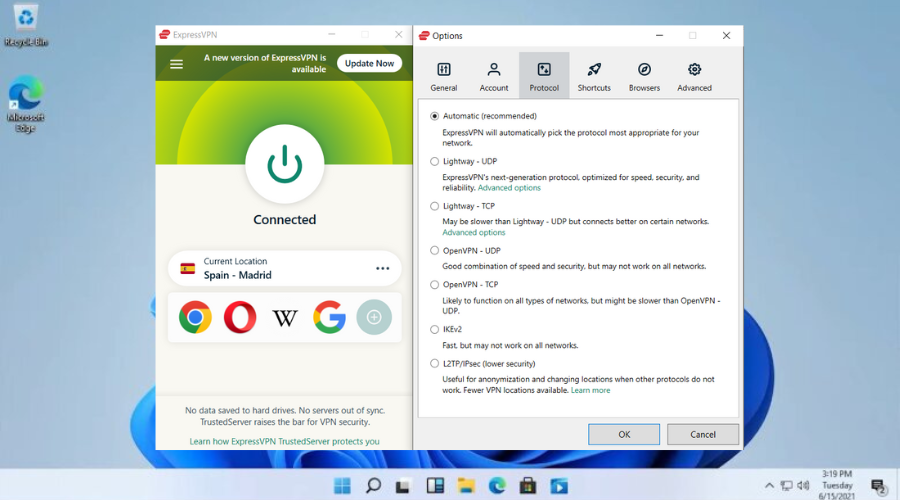
Some protocols are more stable or less detectable. Experiment with:
- OpenVPN
- WireGuard
- IKEv2
- L2TP/IPSec
Access your VPN’s settings page, go to Protocols/ Connection and switch from your current setup to one of the above. For a full comparison, see best VPN protocols.
5. Test on Different Devices and Networks
Device or network settings can interfere with VPN connections:
- Try another device (phone, tablet, PC)
- Use a different Wi-Fi network or mobile hotspot
- Clear app or browser cache to remove old location data
6. Check VPN App and Device Settings
- Ensure your VPN app is updated
- Check kill switch and auto-reconnect features
- Make sure your device allows location services without restrictions
7. Reduce VPN Conflict Factors
- Avoid running multiple VPNs or proxy apps simultaneously
- Disable other location spoofing tools
- Close browser tabs or apps that may reveal your real IP
8 Try Using Another VPN
If your current VPN consistently fails, consider switching to another VPN that works seamlessly with PrizePicks.
- ExpressVPN – Known for reliable U.S. servers and strong leak protection, making it a solid choice for apps that actively block VPNs.
- NordVPN – Offers dedicated IP addresses and robust privacy features, reducing the chance of being flagged by PrizePicks.
- Surfshark – Affordable and lightweight, with multiple U.S. server options and strong DNS/WebRTC leak prevention.
9. Monitor VPN Connection Stability
Even short disconnects can reveal your real IP. Use VPN logs to track connection drops and sudden IP changes.
10. Additional Tools for VPN Troubleshooting
- Speed Tests: Use Speedtest.net to check latency and ensure your VPN isn’t too slow
- Traceroute Tools: See if your VPN is routing traffic correctly
- VPN Logs: Check for connection errors, IP changes, or blocked attempts
For more detailed guidance on troubleshooting VPN issues, see how to fix VPN not working.
Conclusion
Troubleshooting VPN issues with PrizePicks requires checking leaks, testing servers, and maintaining a stable connection. While these steps improve reliability and privacy, no VPN setup can guarantee access outside supported states. Focus on connectivity and leak prevention rather than bypassing location checks to avoid risking your account.


Read our disclosure page to find out how can you help VPNCentral sustain the editorial team Read more


Improve this guide



User forum
0 messages