
Proxy Error 502: What It Is, Why It Happens & How to Fix It


 8 min. read
  Updated on
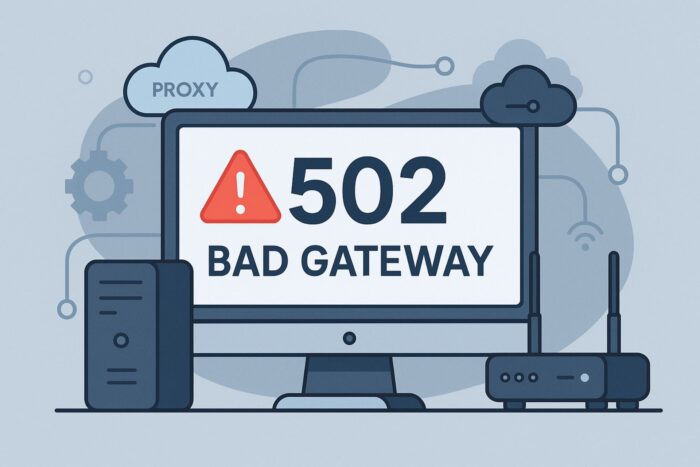
A Proxy Error 502 (Bad Gateway) means a gateway or proxy did not receive a valid response from the upstream server.
The browser sees a failure somewhere between the edge (proxy/CDN/load balancer) and your origin application. This guide explains the error briefly, then dives into a structured set of fixes you can apply right away.
Table of contents
- What Is Proxy Error 502?
- Common Causes (Quick Scan)
- Step-by-Step Fixes for Proxy Error 502
- 1) Rule out local/client artifacts quickly
- 2) Test from a different network path
- 3) Flush DNS and verify authoritative records
- 4) Inspect proxy/CDN/load balancer logs first
- 5) Confirm origin health and capacity
- 6) Align timeouts across proxy and origin
- 7) Right-size connection pools and workers
- 8) Validate routing, upstream targets, and path rewrites
- 9) Fix TLS/ALPN/SNI and certificate chain issues
- 10) Increase header/body limits and buffers (when legit)
- 11) Bypass intermediary layers to isolate the fault
- 12) Stabilize backend bots, workers, and queues
- 13) Roll back recent code/config changes safely
- 14) Restart and drain gracefully
- 15) Prevent recurrences with guardrails
- FAQ
- Conclusion
What Is Proxy Error 502?
A 502 occurs when the proxy expects a standard HTTP response but the upstream doesn’t answer in time, answers with malformed data, or drops the connection. It’s easy to confuse this with adjacent errors. For instance, 502 indicates a bad upstream response, while a true internal server fault will surface as 500; if you’re diagnosing crashes or exceptions on the server itself, this Proxy Error 500 (Internal Server Error) guide explains that scenario and how it differs from a gateway failure.
Common Causes (Quick Scan)
- Upstream app is down, hung, or slow to respond.
- Timeout mismatch: proxy gives up before the origin finishes.
- DNS/routing issues sending traffic to the wrong place.
- TLS handshake problems or cipher mismatches.
- Header/body too large for proxy buffers.
- Connection pools or worker threads exhausted.
- Intermediary misconfigurations in CDN/WAF/load balancer.
- Temporary overload or maintenance — which more properly surfaces as 503; if capacity is the issue, see Proxy Error 503 (Service Unavailable) to align your expectations and mitigations.
Step-by-Step Fixes for Proxy Error 502
1) Rule out local/client artifacts quickly
- Open the page in a private/incognito window.
- Disable extensions (privacy, caching, security add-ons) and retry.
- Try a second browser.
- If it loads elsewhere, clear cache/cookies in your primary browser, then retest.
Why: This isolates edge-cached errors or extension conflicts so you don’t chase server-side ghosts.
2) Test from a different network path
- Switch to a mobile hotspot or another ISP and retry.
- If you use a VPN or corporate proxy, disable it temporarily.
- From a terminal, run a quick
curl -I https://your-siteto confirm the HTTP status and headers. - If the site works off-network, investigate local firewall/DNS policies.
Why: Confirms whether the issue is global (server-side) or confined to one path.
3) Flush DNS and verify authoritative records
- Flush local resolver:
- Windows:
ipconfig /flushdns - macOS:
sudo dscacheutil -flushcache && sudo killall -HUP mDNSResponder - Linux (systemd-resolved):
sudo resolvectl flush-caches
- Windows:
- Check authoritative DNS for your domain (A/AAAA/CNAME) and TTLs.
- Ensure CDN CNAMEs point to the correct zone and that stale IPs aren’t cached.
- Wait for TTL expiry if you just changed records; avoid rapid, conflicting edits.
Why: Stale or wrong DNS can make the proxy talk to the wrong upstream and return 502.
4) Inspect proxy/CDN/load balancer logs first
- Pull logs by timestamp of the incident (edge, WAF, load balancer).
- Look for upstream status like
499/502/504, handshake errors, or resets. - Note upstream target (IP:port, hostname) and the exact route used.
- Capture request IDs/correlation IDs to trace across layers.
Why: The edge sees the failure first and often tells you exactly which hop failed.
5) Confirm origin health and capacity
- SSH/RDP to the origin; check CPU, RAM, disk, and open file/socket counts.
- Verify the app is listening on the expected port and responding on
/health(or create one). - Tail application and web server logs for exceptions/timeouts.
- Restart only if the process is clearly hung; record metrics before/after.
Why: Many 502s are simply slow or crashed upstream apps.
6) Align timeouts across proxy and origin
- Identify request processing time (p95/p99) from app/APM metrics.
- Set proxy connect/read/send timeouts slightly above realistic p99.
- Ensure upstream keep-alive and idle timeouts are consistent on both sides.
- Re-test under load; adjust incrementally to avoid masking real slowness.
Why: A short proxy timeout that’s shorter than the app’s real work is a classic 502 trigger.
7) Right-size connection pools and workers
- Check web server/ASGI/WSGI/PHP-FPM pools and thread/worker counts.
- Increase pools gradually if you see queueing or saturation.
- Tune database connection pools so the app doesn’t block.
- Add horizontal instances if vertical scaling is tapped out.
Why: Exhausted workers or pools cause slow/no responses upstream.
8) Validate routing, upstream targets, and path rewrites
- Confirm the proxy is forwarding to the correct IP/port (no stale service discovery).
- Verify path rewrites (
/api→/v1/api) and header forwarding (Host/X-Forwarded-For). - Test the upstream directly (
curl -I https://origin.internal:PORT/endpoint). - If you see forwarding failures instead of slow responses, compare symptoms with Proxy Error: Could Not Proxy Request — that error typically points to broken forwarding rules or unreachable targets.
Why: Misrouted or rewritten paths commonly yield 502 at the edge.
9) Fix TLS/ALPN/SNI and certificate chain issues
- Check that the origin certificate is valid and the full chain is served.
- Ensure SNI is set if the origin hosts multiple names.
- Align TLS versions/ciphers between proxy and origin; enable ALPN where required.
- For mTLS, confirm both sides trust the issuing CAs and certs aren’t expired.
Why: Handshake failures look like upstream silence to a proxy, resulting in 502.
10) Increase header/body limits and buffers (when legit)
- Look for “Request/Response header too large” or similar in logs.
- Increase header buffers and body size limits judiciously.
- Normalize oversized cookies or reduce custom headers if possible.
- Retest large payload endpoints only after confirming real need.
Why: Overly small buffers cause truncated responses that manifest as 502.
11) Bypass intermediary layers to isolate the fault
- In your CDN (e.g., “grey-cloud”), route requests directly to origin.
- Temporarily disable the WAF rule set for the affected endpoint.
- Hit the origin directly via a safe allow-listed path.
- Compare results: if origin works but edge fails, keep digging at the edge.
Why: Isolation prevents finger-pointing and quickly identifies the bad hop.
12) Stabilize backend bots, workers, and queues
- Check job queues (e.g., Celery, Sidekiq) for backlogs.
- Verify that background bots/agents respond within the proxy’s timeout budget.
- Add health endpoints and timeouts to worker calls; implement circuit breakers.
- If a specific bot often times out, the pattern resembles Proxy Error: No Response from Bot PSGHAG2 — treat it as an unreliable upstream and harden retries/fallbacks.
Why: “Silent” internal services make the origin stall, surfacing as 502 upstream.
13) Roll back recent code/config changes safely
- List deployments, plugin/theme updates, and infra changes in the last 24–72 hours.
- Roll back the most likely change first with a canary.
- Re-run synthetic checks and watch error rate/latency.
- Document the root cause once confirmed.
Why: Many 502 spikes start right after a release or config tweak.
14) Restart and drain gracefully
- Enable connection draining on load balancers.
- Reload proxy/web server configs (graceful restart where supported).
- Restart app services during low-traffic windows if resources remain stuck.
- Verify recovery with health checks and synthetic tests.
Why: Clears zombie workers and stuck sockets without causing a bigger outage.
15) Prevent recurrences with guardrails
- Add SLOs and alerts for error rate, p95 latency, saturation, queue depth.
- Schedule capacity tests; put autoscaling and back-pressure in place.
- Keep timeouts consistent across proxy/CDN/origin; document standards.
- Maintain a “golden path” health endpoint and run synthetic probes continuously.
Why: 502s drop sharply when you monitor the right signals and keep layers aligned.
FAQ
If it persists, yes. Search engines reduce crawl rates and may demote unstable pages. Short, infrequent events are usually tolerated.
No. Any intermediary (proxy/CDN/WAF/load balancer) can produce a 502 if it can’t establish a clean conversation with the origin.
A 502 means “bad response from upstream”; a 503 means “service unavailable,” typically due to overload or maintenance (see the 503 note in the causes section).
Conclusion
A Proxy Error 502 is usually a symptom of timing, routing, or capacity issues between your edge and origin. By isolating the failing hop, aligning timeouts, tuning resources, and validating routing and TLS, you’ll resolve most incidents quickly.
Lock in prevention with monitoring, consistent configs, and controlled rollouts, and 502s should become rare and short-lived.


Read our disclosure page to find out how can you help VPNCentral sustain the editorial team Read more


Improve this guide


User forum
0 messages