
How to Hide IP on Tinder (Quick Fix 🔒)


 4 min. read
  Updated on

Tinder can easily detect your location through your IP and GPS data. While you can’t make yourself completely anonymous, you can hide or change the IP address Tinder sees by routing your phone’s traffic through a VPN or proxy.
This guide explains how IP hiding works, practical steps to set it up, and what limitations you should know before trying it.
Table of contents
Can You Hide Your IP from Tinder?
Yes , you can stop Tinder from seeing your real IP address by routing your connection through a VPN or proxy server. When you open the app normally, Tinder connects directly to its servers and records your public IP from your Wi-Fi or mobile network.
A VPN replaces that IP with one from its server, masking your real network identity.
However, IP hiding alone won’t make you anonymous. Tinder still collects GPS data, device IDs, and your phone number.
How Hiding Your IP Works
A VPN or proxy encrypts your internet traffic and sends it through another server. Tinder sees the server’s IP instead of your real one.
Here’s what changes and what doesn’t:
| Tinder Data Signal | Hidden with VPN | Notes |
|---|---|---|
| IP address | ✅ | Replaced by VPN server IP |
| Wi-Fi / carrier info | ✅ | Encrypted through VPN tunnel |
| GPS location | ❌ | Requires GPS spoofing tools |
| Device ID, phone number | ❌ | Collected by the app |
How to Hide Your IP on Tinder
Method 1: Use a VPN (Best and Easiest)
This is the simplest and safest way to hide your IP.
Steps:
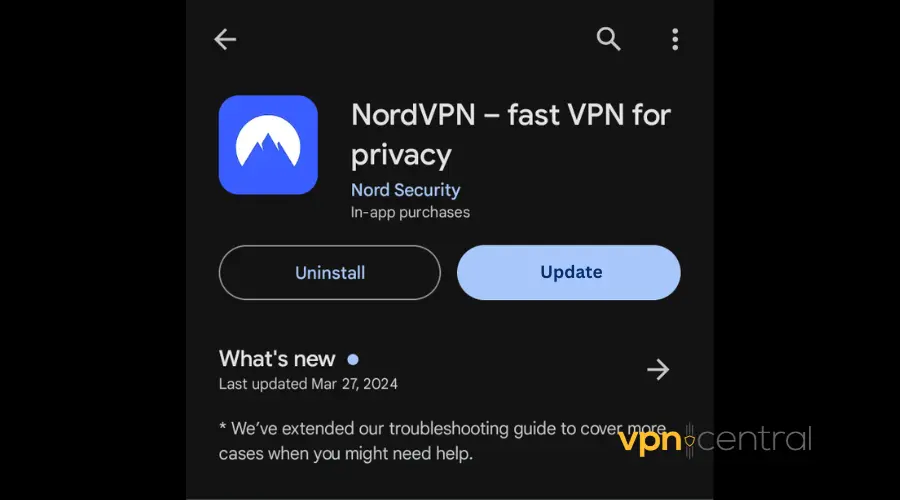
- Install a trusted VPN app such as NordVPN from the App Store or Google Play.
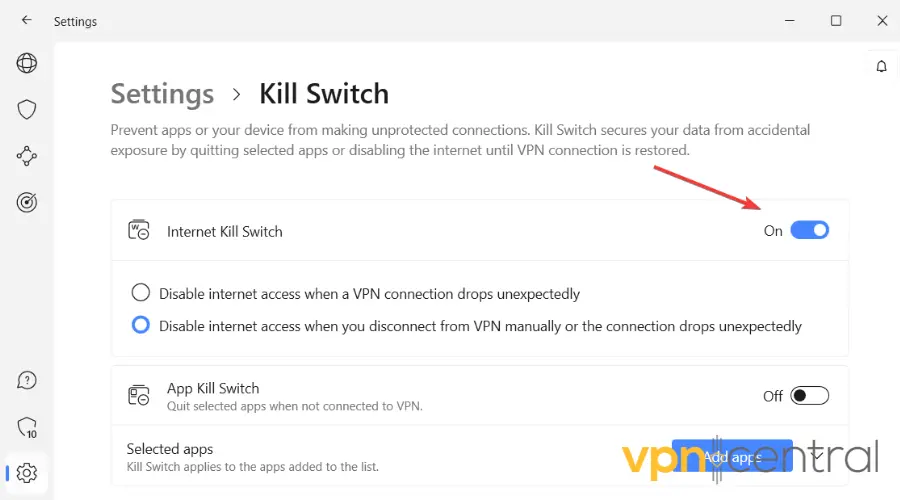
- Sign in and enable Kill Switch or Always-on VPN to stop leaks.
- Connect to a server in your preferred country.
- Open Tinder only after the VPN shows “Connected.”
- Keep the VPN running while you use the app.
This method hides your IP and encrypts your traffic. To fix issues if Tinder doesn’t load while connected, check this related guide: Tinder not working with VPN.
Method 2: Use a Mobile Proxy (Advanced)
A mobile proxy routes only Tinder’s traffic through another IP. It’s useful for managing multiple accounts but requires manual configuration.
Steps:
- Obtain a reliable mobile proxy address from a provider like Decodo.

- Configure it under your phone’s network settings or use a proxy app.
- Launch Tinder after confirming the proxy connection is active.
Proxies are harder to secure and can leak your real IP if not configured correctly.
Method 3: Spoof GPS if You Want to Hide Location
Even with a VPN, Tinder still reads your GPS coordinates if the app has permission. To hide your location instead of your IP, use GPS spoofing tools.
For Android:
- Enable Developer Options → Mock Locations.
- Install a GPS spoofing app and select a fake location.
For iPhone:
- Use a desktop GPS changer or a dedicated spoofing app.
To learn how VPNs interact with Tinder’s location settings, check VPN change Tinder location.
What You Cannot Hide from Tinder
A VPN or proxy only masks your network layer. Tinder still knows:
- Your GPS position if permissions are granted.
- Device model, OS version, and behavioral patterns.
- The phone number and linked accounts you used to sign up.
So even if your IP is hidden, your profile remains traceable through other identifiers.
Risks of Hiding Your IP on Tinder
- Account flags: Frequent location changes or data center IPs may trigger security checks.
- Feature glitches: Swipe radius, Boosts, and location-based matches can behave oddly.
- ToS violation: Misrepresenting your location can breach Tinder’s terms and cause bans.
- Connection issues: Some VPN IPs are blocked. If that happens, switch servers or see our guide on Yubo not working with VPN.
Final Thoughts
A VPN effectively hides your IP from Tinder, but that’s only part of your digital footprint. For stronger privacy, combine a VPN with minimal app permissions and a separate account setup. Full anonymity isn’t realistic, but you can limit what Tinder tracks and control what data you reveal.


Read our disclosure page to find out how can you help VPNCentral sustain the editorial team Read more


Improve this guide




User forum
0 messages