
How VPN Helps in Securing the Network


 6 min. read
  Updated on
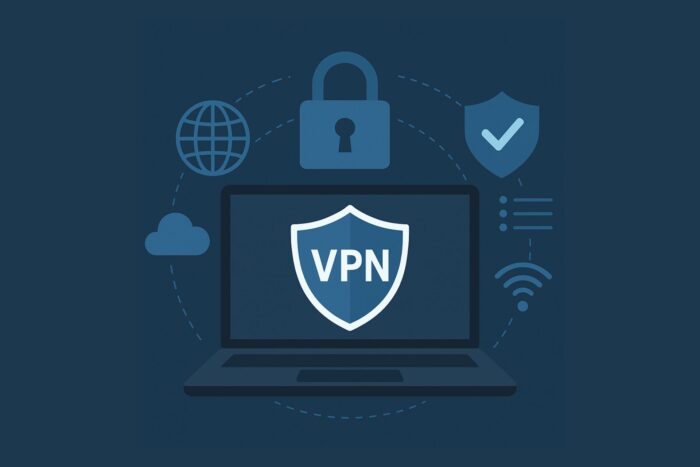
In today’s digital world, with increasing numbers of people working remotely, using public Wi-Fi, or accessing sensitive services online, network security is more important than ever.
A Virtual Private Network (VPN) is a tool that helps protect your data, privacy, and identity when using the internet.
This article explains how VPNs work, what security benefits they offer, what limitations to be aware of, and best practices for using one effectively.
Table of contents
- Understanding VPNs
- Security Benefits of VPNs
- 1. Encryption of Traffic
- 2. IP Address Masking and Privacy
- 3. Safer Access to Online Services
- 4. Preventing Data Misuse
- 5. Protection Against Hackers and Threats
- 6. Shielding Against ISP and Government Monitoring
- 7. Safer Online Shopping and Banking
- 8. Preventing Man-in-the-Middle (MITM) Attacks
- 9. Securing Remote Work and BYOD Environments
- 10. Protecting Cloud Access
- 11. Limiting Location-Based Threats
- 12. Reducing Social Engineering Risks
- 13. Compliance with Security Standards
- Limitations and Risks of VPNs
- Extended Use Cases
- Important VPN Features
- Best Practices for Using VPNs
- FAQs
- Summary
Understanding VPNs
What is a VPN and How Does it Work
A VPN (Virtual Private Network) establishes a secure, encrypted connection (a “tunnel”) between your device and another network. It hides your IP address and scrambles your traffic to make it unreadable to outsiders. For a visual breakdown, see this detailed guide with a VPN works diagram.
VPNs rely on tunneling protocols and encryption standards like IPsec, OpenVPN, and WireGuard. They can be compared with other technologies, such as a VLAN or a VPC, but unlike those, a VPN focuses on securely routing user traffic across public networks.
Security Benefits of VPNs
1. Encryption of Traffic
VPNs encrypt all traffic between your device and the server. Even if someone intercepts it, they cannot read the content. This matters on public Wi-Fi, where attackers often snoop on unsecured connections. For comparison, regular Wi-Fi without VPN lacks this layer of protection.
2. IP Address Masking and Privacy
By masking your IP, a VPN keeps your location and identity hidden. This also prevents tracking. Some people compare VPNs with tools like Tor, but VPNs generally offer faster speeds with easier setup.
3. Safer Access to Online Services
A VPN allows you to securely log in to accounts and apps, including Office 365, without exposing credentials to attackers. It also reduces the risks associated with working remotely.
4. Preventing Data Misuse
A common concern is whether VPN providers can see your data. While providers route your traffic, reputable ones enforce strict no-logs policies and employ strong encryption to protect user activity.
5. Protection Against Hackers and Threats
A VPN adds a strong barrier to prevent unauthorized access, making it harder for attackers to intercept or steal your data. For direct concerns like whether a VPN can stop hackers, the answer is yes—it greatly reduces the risk of interception, though it should be paired with other security measures.
6. Shielding Against ISP and Government Monitoring
A VPN prevents your Internet Service Provider (ISP) from logging your browsing history and selling it to advertisers. In regions with heavy surveillance, VPN encryption also limits how much governments can track your online behavior.
7. Safer Online Shopping and Banking
When entering credit card numbers or banking details, a VPN adds a critical layer of encryption. This helps protect you from cybercriminals who attempt to intercept sensitive transactions, especially on public or compromised networks.
8. Preventing Man-in-the-Middle (MITM) Attacks
One of the most common network attacks involves intercepting communication between you and a website. By encrypting all traffic, VPNs make MITM attacks significantly harder to execute successfully.
9. Securing Remote Work and BYOD Environments
In modern workplaces, employees often use their own laptops or mobile phones (BYOD – bring your own device). A VPN ensures that even unmanaged devices connect securely to corporate resources, reducing exposure.
10. Protecting Cloud Access
With more services running in the cloud (Google Workspace, AWS, Microsoft Azure), VPNs ensure that sensitive files and apps are accessed through an encrypted tunnel, limiting risks of unauthorized intrusion.
11. Limiting Location-Based Threats
Attackers sometimes target users based on their geographic IP. By routing through another location, a VPN makes you a harder target for region-specific scams or cyber campaigns.
12. Reducing Social Engineering Risks
Some phishing attacks rely on gathering personal data like your IP and location. With a VPN masking that information, it becomes harder for attackers to craft personalized, convincing phishing attempts.
13. Compliance with Security Standards
For businesses, VPN usage can help meet industry requirements like HIPAA in healthcare or PCI DSS in finance. Encrypted connections ensure data in transit meets compliance standards, reducing liability.
Limitations and Risks of VPNs
Internet Performance
Routing through VPN servers may slow down speeds or cause disruptions. Sometimes users report that a VPN causes internet problems, especially with poor server choice or free services.
False Sense of Security
VPNs don’t act as antivirus. If you’re wondering whether a VPN protects a PC from viruses, the answer is no—you still need dedicated malware protection.
Content Access Issues
While VPNs often bypass restrictions, certain services like government firewalls can block them. For instance, learn whether a VPN works in China before traveling.
Ad Blocking
Some people ask if a VPN will block ads. By default, most do not—unless they include built-in filtering features.
Extended Use Cases
Bypassing Restrictions
VPNs can sometimes bypass age verification systems by masking your location, though ethical and legal considerations apply.
Torrenting and P2P Safety
If you’re concerned whether a VPN hides torrenting from your ISP, the answer is yes, because traffic is encrypted. But always follow local laws.
Gaming and Performance
Gamers often ask if a VPN helps with ping. In some cases, it does, especially if the VPN routes you through a faster network path.
Important VPN Features
- Strong encryption (AES-256, modern ciphers).
- Secure protocols like WireGuard or OpenVPN.
- No-logs policy.
- DNS and IP leak protection.
- Kill switch functionality.
Best Practices for Using VPNs
- Choose a reputable provider.
- Enable kill switch and leak protection.
- Keep VPN software updated.
- Combine with antivirus and good cyber hygiene.
- Test occasionally for leaks.
FAQs
Yes, a VPN can sometimes bypass age verification by masking your location, but legality depends on local laws.
Technically, a provider could view traffic, but reputable services enforce strict no-logs policies. See more in can a VPN provider see data.
By default, no. A VPN that blocks ads requires built-in ad-blocking features.
Yes, a VPN adds a protective layer that makes it harder for attackers to intercept data. Learn more in will VPN stop hackers.
Some VPNs do, but restrictions are strict. Check VPNs in China before traveling.
Summary
A VPN is a powerful tool that helps encrypt data, hide IP addresses, and protect users against cyber threats. It offers valuable safeguards for work, gaming, browsing, and streaming. However, VPNs are not complete security solutions, they should be combined with other practices like antivirus software, multi-factor authentication, and safe browsing habits. For a deeper technical breakdown, see our explainer on how VPN works.


Read our disclosure page to find out how can you help VPNCentral sustain the editorial team Read more


Improve this guide


User forum
0 messages