
How to Fix How VPN Works in Laptop (Step by Step)


 6 min. read
  Updated on

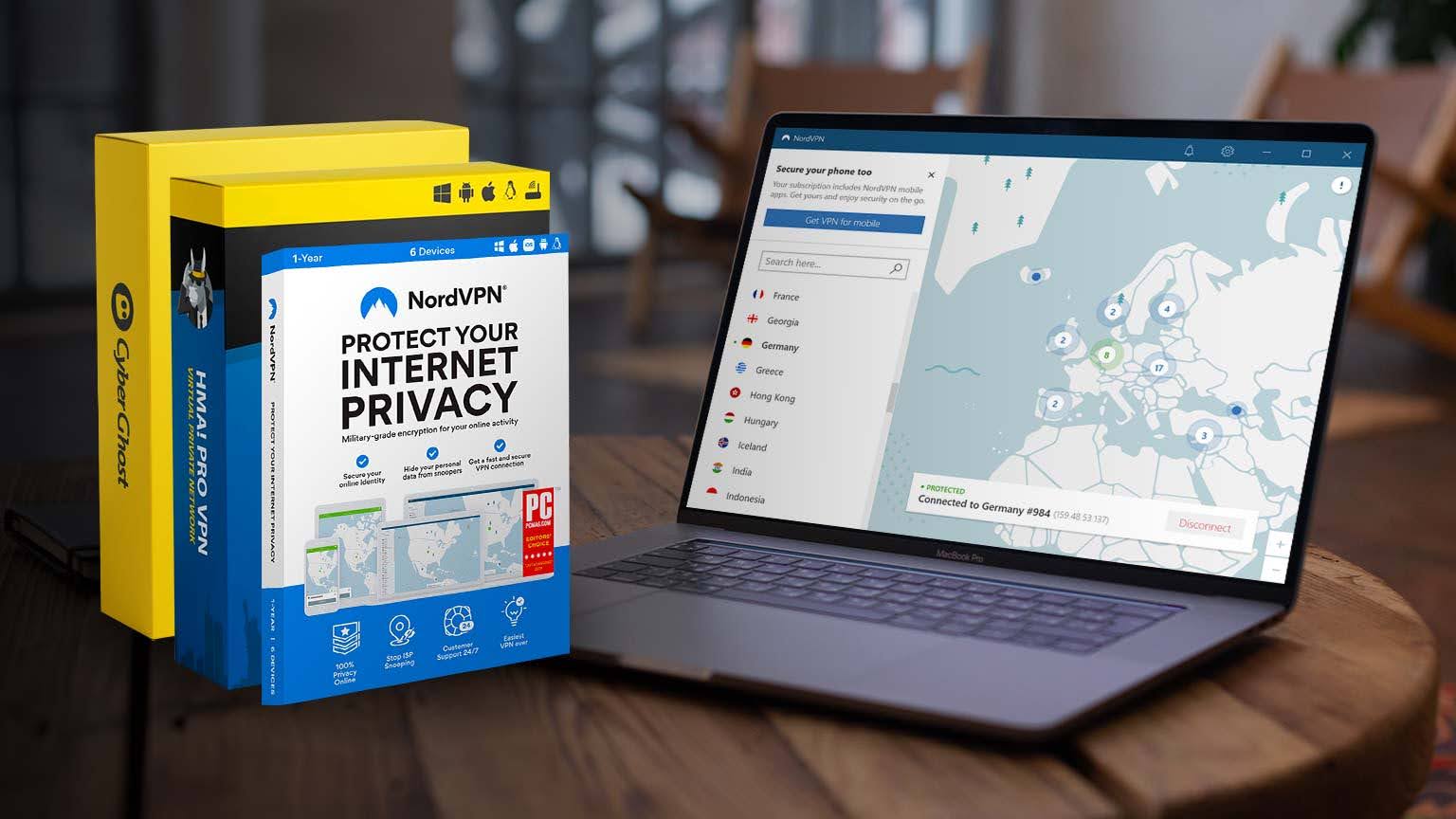
A VPN is one of the most effective tools you can use to keep your laptop connection secure and private.
Whether you work remotely, stream, or browse on public Wi Fi, a VPN encrypts your internet traffic and routes it through a secure server so outsiders cannot easily read or trace it back to you.

Access content across the globe at the highest speed rate.
70% of our readers choose Private Internet Access
70% of our readers choose ExpressVPN

Browse the web from multiple devices with industry-standard security protocols.

Faster dedicated servers for specific actions (currently at summer discounts)
On laptops, a VPN creates an encrypted tunnel between your device and a chosen VPN server. All web requests travel through this tunnel, are processed by the server, and then return to your laptop the same way. Below is a deep dive into how this process works, why laptops are ideal for VPN use, which protocols matter, and what to expect in real world scenarios.
Table of contents
- How Does a VPN Work on a Laptop
- Why Laptops Are Ideal For VPN Use
- Laptop VPN vs Other Devices
- Built In VPN Options on Laptops
- Inside the VPN Tunnel Step by Step
- VPN Protocols and Laptop Performance
- Real World VPN Benefits on Laptops
- Tips for Using a VPN on Your Laptop
- VPN on Laptops The Complete Picture
- FAQs
How Does a VPN Work on a Laptop
When you click Connect in your VPN app, several processes start immediately. Understanding these steps helps you choose better settings and troubleshoot issues quickly.
1. Connect To A VPN Server
Your laptop negotiates a connection with a remote VPN server in your selected location. From this moment, the server becomes your gateway to the internet. All requests from your browser and apps go to the VPN server first, not directly to websites.
2. Encrypt Traffic On The Laptop
Before any data leaves your laptop, the VPN client encrypts it using strong ciphers so that intercepted packets look like unreadable text. For a technical walkthrough of keys, ciphers, and handshakes, see this explainer on how VPN encryption works.
3. Mask Your IP Address
Websites no longer see your real IP. They see the IP address of the VPN server. This provides privacy and helps bypass location based restrictions. If you travel or live in a highly restricted region, you might also wonder will VPN work in China where network controls are strict.
4. Route Through An Encrypted Tunnel
The encrypted packets travel through a secure tunnel to the VPN server. The server decrypts them, forwards the requests to the destination site, receives the response, encrypts it again, and sends it back through the tunnel. Your laptop decrypts the response locally and displays the content.
5. Result You Can Expect
- Private browsing on public and home networks
- Hidden IP address and improved resistance to tracking
- Ability to access geo restricted sites from the server location
Why Laptops Are Ideal For VPN Use
VPNs run on many devices, but laptops provide the best blend of control, features, and performance.
- Advanced features: Laptop apps typically include a kill switch, split tunneling, and protocol selection.
- Manual configuration: You can set up connections at the operating system level if you prefer not to use an app.
- Performance: Laptop CPUs handle encryption overhead better than many mobile or embedded devices.
- Workflows: Laptops often handle sensitive work data, banking, and file transfers that benefit from strong encryption.
Laptop VPN vs Other Devices
The core concept is the same on every device, but setup and control differ. If you also use a phone, here is a clear breakdown of how VPN works on mobile so you can compare behaviors across platforms.
| Device | Setup Method | Standout Features | Common Limits |
|---|---|---|---|
| Laptop or PC | VPN app or manual OS configuration | Kill switch, split tunneling, protocol choice | Small CPU overhead during heavy encryption |
| Mobile | Dedicated app | Auto connect on Wi Fi, battery optimizations | Fewer manual protocol options |
| Router | Manual firmware setup | Protects all devices at once | Harder to configure, slower overall speed |
| Smart TV | Router VPN or Smart DNS | Unblocks streaming apps | No native VPN support |
Built In VPN Options on Laptops
Most laptops ship with a VPN client included in the operating system.
- Windows 10 and 11: Native client under Settings > Network & Internet > VPN. Supports PPTP, L2TP/IPsec, IKEv2, and SSTP.
- macOS: VPN configuration options under System Settings. Supports IKEv2 and L2TP/IPsec.
- Linux: NetworkManager supports OpenVPN, WireGuard, and more with plugins.
These clients do not include servers. You need details from your provider or workplace network.
Inside the VPN Tunnel Step by Step
Understanding what happens inside the tunnel helps explain VPN effectiveness.
- Handshake: Laptop and VPN server exchange keys to authenticate.
- Encryption: Data is scrambled with strong algorithms like AES 256. For context on techniques, review data encryption vs obfuscation.
- Tunneling: Encrypted traffic moves across the internet safely.
- Server decryption: VPN server decrypts and forwards traffic.
- Response encryption: The server encrypts website responses before sending them back.
- Decryption on laptop: Laptop decrypts data locally for the user.
All of this occurs within milliseconds. To visualize, check a VPN working diagram.
VPN Protocols and Laptop Performance
The protocol in use greatly influences security and speed.
- OpenVPN: Widely supported and very secure, slightly slower.
- WireGuard: Modern, fast, lightweight.
- IKEv2/IPsec: Reliable, handles network switching well, ideal for laptops on the move.
- L2TP/IPsec: Older, double encapsulation slows speed.
- PPTP: Outdated and insecure.
For real numbers, review this VPN protocol speed comparison to see performance differences in detail.
Real World VPN Benefits on Laptops
Beyond basic IP masking, laptops benefit from VPN use in daily activities.
Protection from Hackers
Public Wi Fi makes your data a target. A VPN blocks snoopers. Learn more in will VPN stop hackers.
ISP Privacy and Torrenting
ISPs monitor and throttle connections. VPNs hide activity. See will VPN hide torrenting from ISP for full context.
Security vs Malware
VPNs encrypt traffic but do not replace antivirus tools. For differences, read will VPN protect PC from virus.
Gaming and Performance
VPNs can sometimes reduce lag and optimize routes. Curious if that helps you? See will VPN help with ping.
Tips for Using a VPN on Your Laptop
- Update the VPN client for latest patches.
- Use WireGuard or OpenVPN for a strong balance of speed and security.
- Enable the kill switch to block leaks if the connection drops.
- Use split tunneling for work apps if needed.
- Choose servers close to you for better speeds.
VPN on Laptops The Complete Picture
A VPN on a laptop hides your IP, encrypts your traffic, and protects you from surveillance or restrictions. Laptops give you more configuration choices than mobiles and more flexibility than routers. For anyone traveling, working remotely, or often using public Wi Fi, a VPN is an essential security tool.
FAQs
Yes but free VPNs limit speed, data, and server choices. Paid services are more reliable.
Encryption introduces slight slowdown. Using fast protocols like WireGuard minimizes this.
Yes. Both Windows and macOS include native VPN clients where you can add server details.
A VPN protects privacy but is not antivirus software. Use it together with security tools.


Read our disclosure page to find out how can you help VPNCentral sustain the editorial team Read more


Improve this guide


User forum
0 messages