
Proxy Error 503: What It Means and How to Fix It Easily


 5 min. read
  Published on
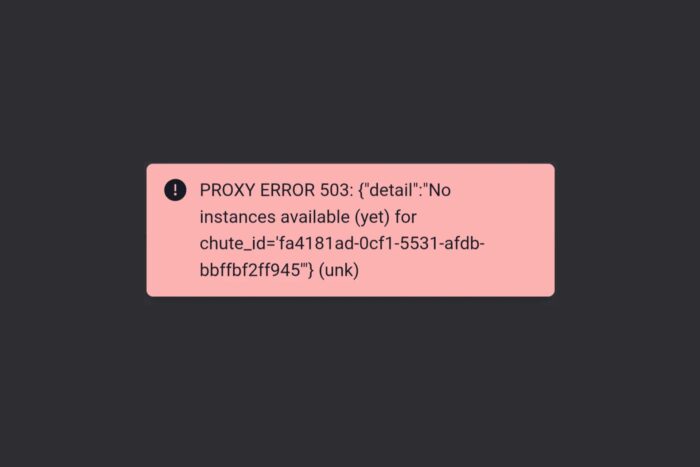
Seeing a Proxy Error 503 when browsing can be frustrating. This error usually means the proxy or server you’re trying to reach can’t handle your request right now.
The good news is, most of the time it’s a temporary issue you can fix yourself. In this guide, we’ll explain what Proxy Error 503 means, why it happens, and how to solve it step by step.
Table of contents
What Is Proxy Error 503?
A Proxy Error 503, often displayed as “503 Service Unavailable,” means that the proxy or server is temporarily unable to process your request. The cause could be high traffic, scheduled maintenance, or even a misconfiguration in your VPN or proxy settings. Unlike browser errors, this one usually comes from the server side — but the way your device connects to it can also play a role.
Common Causes of Proxy Error 503
- Server overload – Too many users trying to access the site at once.
- Scheduled maintenance – The site may be down temporarily for updates.
- Misconfigured proxy settings – Wrong addresses or ports can stop connections.
- VPN or proxy conflicts – Using multiple proxy layers or unstable VPN servers.
- Temporary DNS or network issues – Connectivity hiccups or DNS lookup errors.
If you suspect your setup is at fault, make sure to change proxy settings correctly, or double-check them using this guide on how to check proxy settings. Correct configuration is one of the easiest ways to avoid repeated 503 errors.
How to Fix Proxy Error 503
Try the following troubleshooting steps in order. After each one, reload the page to see if the issue is resolved.
- Refresh the page – Many 503 errors disappear after a quick reload.
- Test another site – If other websites work, the issue is with the site you’re trying to reach.
- Clear cache and cookies – Old browser data can block proxy connections.
- Disable VPN or proxy temporarily – If the site loads afterward, the proxy was likely the issue. You can set up a new proxy server or switch VPN servers.
- Verify proxy settings – Double-check addresses and ports in your browser or OS settings.
- Restart browser and device – A reboot often clears temporary glitches.
- Try private/incognito mode – This disables extensions that could interfere.
- Switch DNS or network – Use a reliable public DNS like Google’s (8.8.8.8) or connect via another network.
- Check for site issues – Sometimes the website itself is down for maintenance. Look for official updates before trying again.
Sometimes, you may also come across related messages like Proxy Error 2606 or Proxy Error No Response from Bot. These follow a similar troubleshooting path, so the fixes above often apply as well.
Causes and Fixes at a Glance
| Cause | Fix/Workaround |
|---|---|
| Server overload or high traffic | Wait a few minutes and refresh. |
| Maintenance or downtime | Check status updates; retry later. |
| Misconfigured proxy/VPN | Update or reset settings; disable and test again. |
| DNS or network outage | Flush DNS, change to public DNS, restart router. |
| Blocked VPN/proxy IPs | Switch servers, try without VPN/proxy, or use another provider. |
Tips to Prevent Proxy Error 503
- Use reliable VPN and proxy services to minimize downtime.
- Keep your browser, VPN client, and OS updated.
- Avoid flooding requests through proxies to prevent overload.
- Check proxy health regularly if you run your own server.
- Pick region-specific proxies when necessary — for example, proxy options for Iran users or proxy setup for Microsoft Edge.
Depending on your browser or app, setup steps vary. For instance, proxy for Chrome users, proxy for school Chromebooks, or proxy for Telegram each require specific adjustments to avoid errors like 503.
FAQ
It’s an HTTP status code that shows the proxy or server is too busy or under maintenance. The site is usually still online but unable to respond.
Usually not. It’s mostly caused by server issues. However, incorrect proxy or VPN settings on your device can also trigger it.
It can clear within minutes if caused by high traffic or a short outage. Persistent errors may need settings adjustments or contacting support.
Yes. Try refreshing, checking proxy settings, clearing cache, or disabling VPN. Most issues resolve with these steps.
When to Contact Support
If Proxy Error 503 persists after you’ve tried all fixes, contact your VPN provider first. They can check server availability or give alternative IPs. If it still occurs without VPN, reach out to your ISP.
Occasionally, Proxy Error 503 overlaps with other server-side problems. For instance, a Proxy Error 500 points to an internal server fault rather than overload. While both errors look similar on the surface, 503 is usually temporary, whereas 500 may require the site admin to intervene.
Finally, if the issue seems limited to a specific site, contacting the site administrator is the best option.


Read our disclosure page to find out how can you help VPNCentral sustain the editorial team Read more


Improve this guide




User forum
0 messages