
VPN vs VPC: What They Are, Key Differences, and When to Use Each


 7 min. read
  Updated on
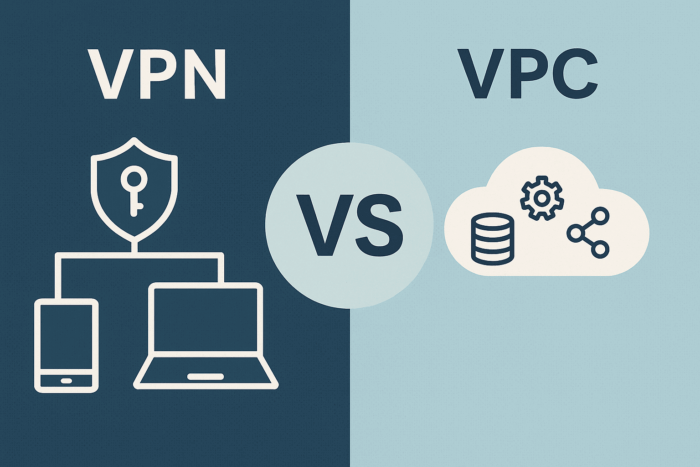
A VPN (Virtual Private Network) is an encrypted tunnel that connects users or networks over the internet.
A VPC (Virtual Private Cloud) is a logically isolated, software-defined network inside a public cloud where you place your workloads.
You often use them together: a VPN connects people or on-prem sites to a VPC; a VPC is where the apps and data live.
Table of contents
VPN vs VPC: Comparison at a glance
| Aspect | VPN (Virtual Private Network) | VPC (Virtual Private Cloud) |
|---|---|---|
| What it is | Encrypted tunnel over the internet for users or networks | Logically isolated cloud network for your resources |
| Primary purpose | Secure connectivity (remote access or site-to-site) | Secure segmentation & routing for cloud apps |
| Where it lives | Overlay on top of existing networks/Internet | Inside a public cloud account/tenant & region(s) |
| Who/what connects | Users, devices, branch sites, data centers | Compute, databases, services inside subnets |
| Core building blocks | Tunnels, gateways, client apps, IPsec/OpenVPN/WireGuard | Subnets, route tables, security groups/ACLs, NAT, gateways |
| Security model | Crypto tunnel + auth (IdP/MFA), split/full tunnel | Segmentation (SG/NACL), private IPs, firewalls, flow logs |
| Typical use with cloud | Remote users → VPC; Site-to-site: On-prem ↔ VPC | Peer VPCs, attach VPNs/Direct Connect/Interconnect, transit hubs |
| Performance | Internet-dependent; can optimize with split tunneling or private circuits | In-cloud east-west is fast; north-south depends on egress/NAT; private circuits bypass internet |
| Cost shape | Usually per-endpoint/tunnel + data | Pay for gateways/NAT, data processing/egress, attached services |
| When to pick | You need to connect people/places securely | You need to host and segment workloads securely |
What is a VPN?
A VPN creates an encrypted tunnel between two endpoints over untrusted networks. Teams use it to:
- Give remote users access to private resources (client VPN).
- Link sites/data centers to cloud (site-to-site VPN).
- Reduce risk on public Wi-Fi and restrict access paths.
It’s also important to understand how VPNs compare to other technologies, such as in this guide on VPS vs VPN vs Proxy, which explains the infrastructure differences clearly.
Common stacks: IPsec/IKE (site-to-site), OpenVPN or WireGuard (client-based). Authentication typically ties to your IdP (SAML/OIDC/AD) and can enforce MFA. Split-tunnel vs full-tunnel controls routing and bandwidth.
What is a VPC?
A VPC is your private, software-defined network inside a public cloud. You choose CIDR ranges, carve subnets, attach route tables, and enforce security groups (instance-level) and network ACLs (subnet-level). VPCs natively connect to:
- Peered VPCs for private app-to-app traffic,
- VPN gateways for on-prem connectivity,
- Transit hubs (e.g., Transit Gateway) to simplify many-to-many routing,
- Dedicated links (e.g., Direct Connect/Interconnect/ExpressRoute) for private, consistent bandwidth.
How they fit together (common architectures)
- Remote users → VPC (Client VPN)
Employees run a VPN client to authenticate and reach private subnets in your VPC. Good for admin access, jump hosts/bastions, and developer workflows. - On-prem ↔ VPC (Site-to-Site VPN)
IPsec tunnels join your data center/branch to a specific VPC. Quick to set up; latency depends on the public internet.
You can compare this tunnel approach with a VPN bridge vs tunnel breakdown to see which design fits better. - Multi-VPC apps (Peering / Transit hubs)
Use VPC Peering for simple, point-to-point private routing between two VPCs. Use a Transit Gateway (hub-and-spoke) when you have many VPCs and hybrid links. - Private circuits for stability
Direct Connect / Cloud Interconnect / ExpressRoute provide dedicated links that bypass the internet for lower latency and more predictable throughput.
Connection type also matters for overall safety. For a direct comparison, see our guide on VPN vs Wi-Fi to understand how each affects privacy and performance.
Security: what each gives you
- VPN: Encryption in transit, identity-aware access, posture checks, and least-privilege policies on who can start a tunnel and reach specific CIDRs. Split-tunnel reduces blast radius and bandwidth.
- VPC: Defense-in-depth via security groups (stateful, instance-level), network ACLs (stateless, subnet-level), private subnets, NAT for egress control, flow logs for traffic visibility, and traffic mirroring for inspection.
VPNs are often confused with other consumer tools, this VPN vs proxy guide clarifies when each is appropriate.
Performance & reliability
- VPN over the internet inherits public network jitter and throughput variability. Multi-tunnel HA and BGP routing help, but SLA depends on the path.
- In-cloud VPC traffic (east-west) rides the provider’s backbone. For hybrid, private circuits offer more predictable latency and higher, burst-resistant bandwidth than internet VPNs.
If you’re weighing different access options for individuals, it helps to check out VPN vs mobile hotspot, which compares them for speed and security.
Cost considerations (high-level)
- VPN: Managed VPNs often bill by connection hours and data; client VPNs may charge per endpoint or association.
- VPC: You pay for network gateways/services (e.g., NAT, transit hubs), some data processing, and egress. Optimizing CIDR/subnet design and reducing unnecessary hops lowers cost.
Step-by-step: How to choose between VPN and VPC
- Define the goal: Do you need to connect users/sites (choose VPN) or host/segment workloads (use VPC)—or both?
- Map flows & trust: List source → destination, required ports, identity, and sensitivity.
- Pick the pattern:
- Remote users only → Client VPN → VPC
- Hybrid/on-prem apps → Site-to-site VPN → VPC (or private circuit if latency/SLA critical)
- Many VPCs/teams → Transit hub + peering, then attach VPN/circuits
- Design security & routing: Subnets, route tables, SG/NACL rules, split/full tunnel, DNS, logging.
- Plan scale & HA: Redundant tunnels/regions, health checks, BGP failover, multi-AZ gateways.
- Pilot → monitor → optimize: Validate latency, throughput, and access; tune rules and costs.
Tips (battle-tested)
- Keep CIDR blocks future-proof (avoid overlaps across regions/accounts).
- Use least-privilege SG rules; audit flow logs to spot excess permissions.
- Prefer split-tunnel for dev/admin use to reduce bandwidth and improve UX, unless policy requires full-tunnel.
- For hybrid apps with strict SLOs, test private circuits early; they can materially reduce tail latency.
- Standardize naming & tagging for VPCs/subnets/routes to keep multi-account sprawl manageable.
For end-user perspective, note that not all VPN access points are created equal. The VPN app vs browser extension article covers their pros and cons.
FAQs
No. A VPC is your private cloud network. A VPN is an encrypted connection that often connects users or sites to that network.
Yes. Workloads inside a VPC can communicate privately without any VPN. You only need VPN (or a private circuit) when you must connect external users or on-prem networks to the VPC.
Usually yes: remote users connect via a client VPN (or zero-trust alternative) into your VPC where apps live.
Azure’s equivalent is Virtual Network (VNet). Functionally, it fills the same role as a VPC for segmentation, routing, and private IP space.
Use VPC peering for simple pairs, or a transit hub when you have many VPCs and hybrid links. Dedicated interconnects can complement this for stable, high-throughput hybrid paths.
Summary (ordered steps)
- Decide if you’re connecting people/places (VPN) or hosting workloads (VPC).
- Choose the pattern: Client VPN, Site-to-Site VPN, Peering/Transit, Dedicated Interconnect as needed.
- Design subnets, routes, SG/NACL rules, and DNS.
- Add HA (redundant tunnels/regions) and logging (flow logs).
- Pilot, measure latency/throughput, and optimize cost/security.
Conclusion
A VPN secures connections; a VPC secures and organizes the environment those connections reach. Most real-world cloud setups use both: users and sites connect via VPN (or private circuits) to a well-designed VPC mesh that enforces segmentation and observability. Start from your flows and SLOs, then pick the simplest pattern that meets your security and reliability bar.


Read our disclosure page to find out how can you help VPNCentral sustain the editorial team Read more


Improve this guide



User forum
0 messages