
Where to Watch Timberwolves vs. Lakers Online in 2026


 5 min. read
  Published on
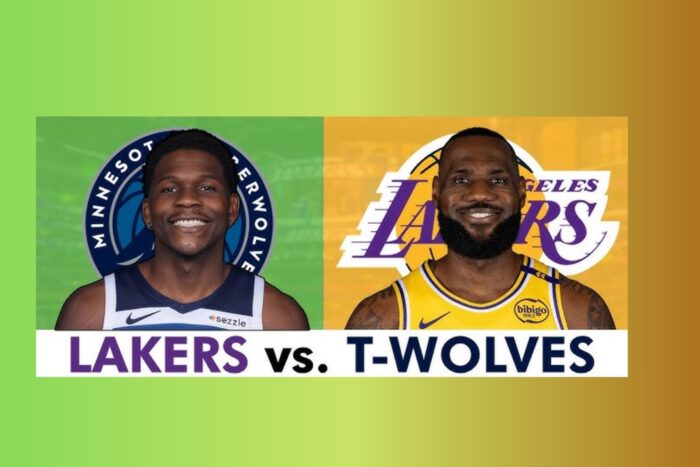
You can stream the Timberwolves vs. Lakers game live on Amazon Prime Video or ESPN, depending on the game date. If you’re outside the U.S. or want every matchup live, NBA League Pass is your best bet. Find below all the steps to gain quick access right now.
Where to Watch Timberwolves vs Lakers (Online, No Cable Needed)
NBA League Pass (Worldwide)
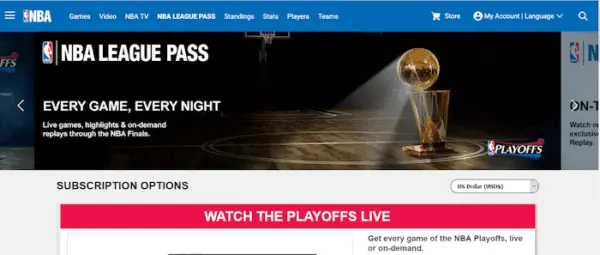
Website: nba.com/league-pass
Where it works: Available worldwide, except U.S. and Canada have blackout rules.
Cost: $174.99 (standard) or $229.99 (premium, ad-free).
If you’re outside North America, League Pass is the dream setup — you get every game live, no restrictions. In the U.S., though, national games (like Timberwolves vs. Lakers) get blacked out live. They pop up on-demand a few hours later.
Pro tip: If you use a VPN to connect from a country like the UK or Netherlands, you can usually bypass the blackout and watch live.
Amazon Prime Video (NBA on Prime)
Website: primevideo.com
Where it works: U.S. and selected global markets (check local listings).
Cost: Included with Amazon Prime ($14.99/month or $139/year).
Amazon’s got exclusive rights to a handful of marquee games this season — including the Oct. 24, 2025 matchup in L.A. Just hop on Prime Video, search the game, and you’re set. No cable login needed.
Heads-up: Prime blocks most VPNs, so you’ll need a legit U.S. Prime account to watch.
ESPN (WatchESPN) – the simplest option (recommended)
Website: espn.com/watch
Where it works: U.S. and countries where ESPN broadcasts.
Cost: Requires a TV provider login (Sling, Hulu Live, YouTube TV, etc.).
If you prefer the simplest, lowest-hassle route, ESPN is your best bet. For viewers who already have a live-TV streaming plan or cable package that includes ESPN, streaming the game is straightforward: sign in to the ESPN app or WatchESPN website and watch live. No League Pass blackouts to worry about, no VPN setup, and reliable streams that work across devices.
Important: ESPN+ alone doesn’t cover NBA games on the main ESPN channel — you need the full ESPN lineup via a TV or streaming package.
Local Broadcasts
- FanDuel Sports Network (formerly Bally Sports North) — for Timberwolves fans in the Minnesota area.
Site: fanduelsportsnetwork.com
Availability: U.S. only, local markets. - Spectrum SportsNet+ — for Lakers fans in SoCal, Nevada, and Hawaii.
Site: nba.com/lakers
Availability: Only within Lakers’ home territory.
These channels cover local games live. If it’s a national broadcast (like ESPN or Prime), the local feed gets blacked out.
How to watch Timberwolves vs Lakers from anywhere
VPNs are the single most effective tool to remove blackout headaches, which is why buying a quality VPN is worth it if you watch NBA games regularly. Here’s a direct, no-nonsense sales pitch plus the reality checks.
Why buy a VPN for NBA viewing?
- No more blackouts on League Pass. Set your IP to a country where the game is not blacked out and watch live.
- Travel-proof access. Going abroad? Keep watching your home-team games the same way.
- Privacy and speed improvements. Good VPNs offer fast, dedicated servers and extra protection on public Wi-Fi.
- Low risk with money-back guarantees. Top services offer 30-day refunds — try it during a big week of games and cancel if it’s not for you.
Top VPNs to buy (what they offer)
- ExpressVPN is consistently fast, has excellent streaming reliability, has easy apps for every device, and has a 30-day money-back guarantee. Great for League Pass.
- Surfshark is budget—friendly, has unlimited devices, and has GPS spoofing features that help with mobile app issues. Also offers a generous refund window.
- NordVPN has strong security features, very fast servers for live sports, and good global coverage.
All three have desktop and mobile apps, and each maintains many server locations so you can switch if a server is blocked. They routinely run promotions so you can get a year or two at a steep discount.
Realistic caveats (don’t ignore these)
- Terms of Service: Using a VPN to bypass blackouts can violate the streaming service’s terms of use. That’s not criminal, but services can suspend accounts if they detect circumvention.
- VPN blocks: Streaming platforms sometimes block popular VPN IPs. You may need to switch servers or contact VPN support.
- Prime & ESPN limits: Amazon Prime aggressively detects VPNs — you’ll often need a native Prime account. ESPN requires a TV provider login, so a VPN alone won’t help there.
- Mobile GPS checks: On phones, apps may check GPS, not just IP. Look for a VPN that supports GPS spoofing if you plan to stream via mobile apps.
Quick buying advice
- Choose a VPN with a 30-day money-back guarantee so you can test with League Pass.
- Prefer providers that advertise streaming support and list many country servers.
- Look for live chat support, which is helpful when a server gets blocked during a game.
If you watch NBA games often, the small annual VPN cost is outweighed by guaranteed access, fewer frustrations, and better stream quality. Buy one, test it with League Pass for a week, and you’ll likely never worry about blackouts again.
Final Thoughts
If you just want to watch legally and with minimal setup:
- ESPN for the simplest, lowest-friction option (recommended).
- Prime Video for exclusive national games.
- NBA League Pass if you’re outside North America or want every game live — and pair it with a paid VPN if you’re in a blackout region.
League Pass + a quality VPN gives the most consistent, all-games access. If you want, I can compare current VPN prices and deals (ExpressVPN, Surfshark, NordVPN) and recommend the best pick for your budget and device or walk you through setting one up with League Pass. Which would you like?


Read our disclosure page to find out how can you help VPNCentral sustain the editorial team Read more


Improve this guide



User forum
0 messages